Microsoft’s Windows 11 update fixes memory leaks, slow startup, and File Explorer bugs
▼ Summary
– The April 2026 optional preview update (KB5083631) for Windows 11 fixes the long-standing white flash bug in File Explorer when using dark mode and improves the preservation of view and sort preferences.
– The update optimizes the Delivery Optimization service to reduce memory leaks and RAM usage, and speeds up the launch of startup apps after booting the PC.
– Microsoft increased the FAT32 volume formatting size limit from 32GB to 2TB via the command line, lifting a 30-year-old restriction.
– Reliability fixes include improved system tray loading, prevention of explorer.exe crashes with Task View and taskbar menus, and resolution of Windows Hello fingerprint data loss after major upgrades.
– The update also patches Microsoft Store errors (0x80070057, 0x80240008, 0x80073d28), fixes Remote Desktop scaling on multi-monitor setups, and improves color profile persistence for monitors.
After months of signaling that 2026 would be the year Microsoft focused on Windows 11 performance and reliability, the company is finally backing up that promise with tangible action. The release of the April 2026 optional preview update (KB5083631) for Windows 11 versions 24H2 and 25H2 brings a handful of new features, but what truly stands out is the extensive list of deep-level fixes. This update directly addresses persistent user frustrations, including memory leaks, slow startup times, and a host of nagging File Explorer bugs that have annoyed users for years.
If you have ever been startled by a sudden white flash while using File Explorer in dark mode, or if your system seems to be quietly gobbling up RAM in the background, this update is designed specifically for you. Here is a detailed look at the most impactful changes now arriving on Windows 11.
File Explorer finally stops flashing white and hanging
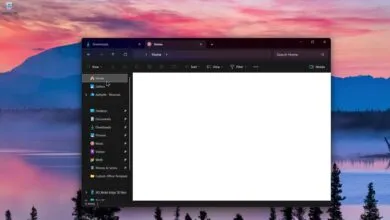
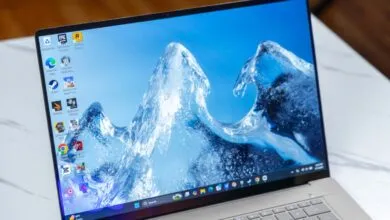
Among the most universally criticized bugs in Windows 11’s File Explorer is the infamous “white flash.” For users who prefer dark mode, opening ‘This PC’ or resizing the Details pane would often trigger a blinding white flash before the dark theme could properly render. This jarring effect stems from File Explorer’s hybrid framework, where legacy background elements fail to sync with the newer WinUI 3 dark mode styles.
With KB5083631, Microsoft has finally eradicated this white flash. According to Windows Latest, the company is actively untangling File Explorer’s complex codebase. They are replacing legacy components, such as the 31-year-old Properties dialog, with native WinUI 3 elements. However, a timeline for the new Properties dialog’s arrival remains unannounced.
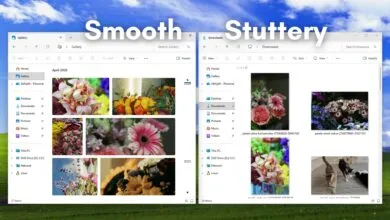
Another welcome fix addresses a common annoyance: View and Sort preferences are now correctly preserved. Previously, if a third-party app launched File Explorer into a specific folder, Windows would often disregard your custom layout and sorting choices. That issue is now resolved. Furthermore, the reliability of the explorer.exe process has been improved. It will now properly terminate and stop running in the background after you close all File Explorer windows, preventing zombie processes from consuming CPU resources.
Lifting a 30-year-old storage limit and boosting system performance
As part of Microsoft’s ongoing effort to make Windows 11 less memory-hungry and more responsive, the April 2026 optional preview update tackles significant performance bottlenecks.
First, the “Delivery Optimization” service has been optimized. This background service handles downloading Windows updates and Microsoft Store apps using peer-to-peer sharing on your local network. Historically prone to memory leaks and unexpectedly high RAM consumption, this service now uses memory far more efficiently.
The update also accelerates your device’s boot sequence. Microsoft notes that startup apps (found under Settings > Apps > Startup) will launch noticeably faster after you power on your PC, getting you to your desktop and ready to work more quickly.
Perhaps the most historic change in this update involves the FAT32 file system. For exactly 30 years, Windows has arbitrarily limited the formatting of FAT32 volumes to 32GB. This limit was a temporary measure set by a former Microsoft developer during the Windows 95 era that somehow became permanent. With this update, Microsoft is finally increasing the size limit for formatting FAT32 volumes from the command line from 32GB to a massive 2TB.
Taskbar, Microsoft Store, and general reliability fixes
The reliability improvements in KB5083631 extend deep into the core Windows shell. If you have ever signed into your PC and found the right side of your Taskbar empty, you will appreciate the improved reliability in loading the system tray area. The update also fixes foundational code to prevent explorer.exe from crashing when interacting with Task View, taskbar menus, or when unpinning items from the Quick Access menu.
Other notable quality-of-life improvements include:
- Microsoft Store fixes: The update patches several notorious and vague download/installation errors that have frustrated users for years, specifically eliminating errors 0x80070057, 0x80240008, and 0x80073d28.When is the next Windows 11 update?Currently, these improvements are part of the optional KB5083631 preview update for Windows users who actively click “Check for updates” and opt in. If you prefer to wait for stable releases, you will not have to wait long. All of these performance gains, File Explorer fixes, and reliability improvements are bundled and scheduled to roll out to all Windows 11 users globally during the upcoming Patch Tuesday update, scheduled for May 12, 2026. The May 2026 update will be a mandatory security update and will include even more features, fixes, and reliability improvements.Did you install the April optional update?