Windows 11 May Update Boosts Speed for Clipboard, Startup, Explorer
▼ Summary
– Microsoft is releasing Windows 11 reliability fixes, with many already in the Release Preview channel and expected for general users in April and May 2026 updates.
– Key improvements include faster, more stable File Explorer and explorer.exe, addressing slow loading and unexpected process crashes.
– The Settings app is receiving navigation refinements, such as a more reliable Installed Apps page and improved logic for the Location settings interface.
– System-wide enhancements cover Windows Hello biometrics, input methods like the emoji panel and voice typing, and performance for startup applications and memory management.
– The update also brings stability improvements for display color profiles, audio drivers, font rendering, and security policies for third-party drivers and scripts.
Microsoft is delivering on its promise to enhance the performance and stability of Windows 11, with a series of targeted reliability improvements now reaching Insider channels. These refinements, many of which are in the Release Preview stage, are expected to reach all users through the upcoming April optional update and the mandatory May 2026 security update. This focus on core system stability addresses long-standing user frustrations, making everyday interactions smoother and more dependable.
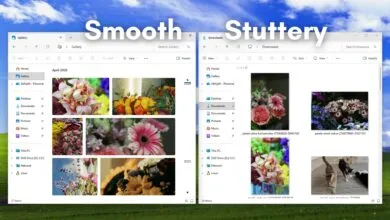
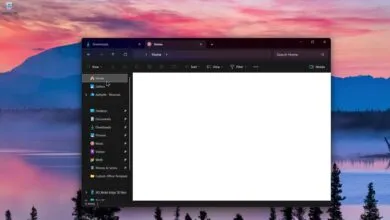
A primary beneficiary is File Explorer, a component that felt slower in Windows 11 compared to its predecessor. Testing shows the Explorer now loads more quickly and has resolved a visual glitch causing a white flash in dark mode. Beyond raw speed, its behavior is more consistent. A folder with a custom view will now correctly retain its layout when opened from another application, instead of defaulting to a generic list. Underlying these fixes are broader enhancements to explorer.exe, the core process for the graphical shell. These improvements stabilize interactions during login, with taskbar flyouts, in Task View, and when managing Quick Access items. The update also aims to prevent explorer.exe from crashing after File Explorer windows are closed. Additionally, the system tray in the taskbar is more reliable, reducing instances where icons fail to load.
The Settings app is receiving logic refinements for greater consistency. Navigation to the Installed Apps page, which traditionally lagged while compiling software lists and icons, has been stabilized. The interface in the Location settings has also been updated for clarity. When the master Location toggle is switched off, secondary options like “Default location” will now appear properly disabled and greyed out, reflecting that no apps can access location data.
Microsoft has renamed the problematic Drag Tray to Drop Tray and redesigned it with a smaller peek view. This change helps prevent accidental activation when moving items near the top of the screen and makes the tray easier to dismiss.
For productivity, the responsiveness of Clipboard History (Win + V) has been improved, reducing the minor delay when invoking the panel. On the storage front, the modern disk management interface in Settings (System > Storage > Disks & Volumes) has been optimized. Previously, users with large or multiple drives could experience lags of up to 15 seconds; the update ensures this page loads instantly.
Windows Hello is becoming more dependable. Fingerprint recognition is more reliable after waking from sleep, a common failure point that previously forced users to enter a PIN. Face recognition sees general improvements, and fingerprint enrollment data will now persist across major system upgrades, eliminating the need to re-register after an update.
Input systems are getting attention. Keyboard navigation within the emoji panel (Win + .) is more consistent, and typing with the ADLaM keyboard has been refined. For voice users, Fluid Dictation settings now persist correctly instead of resetting. The touch keyboard’s voice typing feature is also more reliable with an updated design that removes the full-screen overlay, displaying animations directly on the dictation key.
Startup application performance is being enhanced to reduce the sluggishness often experienced right after boot. Memory management is also a focus, with the Delivery Optimization service receiving tweaks to prevent it from consuming unexpectedly large amounts of system RAM, freeing resources for active applications. The Microsoft Store is seeing reliability fixes targeting common installation errors.
Stability extends to display, audio, and fonts. For professionals, custom monitor color profiles are less likely to revert to system defaults. Audio reliability is improved via better third-party driver compatibility with the midisrv.exe process, reducing glitches for MIDI and external audio hardware. Font rendering for scripts like Thai and Khmer has been updated for better legibility.
Security is being bolstered through significant backend changes. The Windows kernel is altering its trust model, removing default trust for cross-signed drivers. Going forward, only drivers from the Windows Hardware Compatibility Program (WHCP) and a specific allow list will be permitted, with a careful audit period for existing hardware. System administrators gain tighter control over scripts, with a new secure processing mode that prevents batch files from being modified while they execute.
This collective effort demonstrates a shift in priority for Microsoft. By strengthening fundamental components like File Explorer, the taskbar, Settings, and input systems, the company is building a more solid foundation for the operating system. With most fixes already in the Release Preview channel, users can anticipate a noticeably more polished and secure experience with the May 2026 update.
(Source: WindowsLatest)