Windows 11 File Explorer Gets Speed Boost, Dark Mode Fix
▼ Summary
– Microsoft is scaling back Copilot integration to focus on core Windows 11 components, including a major File Explorer update.
– A new Windows 11 preview build makes File Explorer load faster and eliminates white background flashes in dark mode.
– The update improves system stability by reducing crashes of the explorer.exe process and related elements like the taskbar.
– File Explorer now supports extracting additional archive formats, including cpio, uu, xar, and nupkg.
– These improvements are scheduled for public release in the April 2026 optional update or the May 2026 Patch Tuesday update.
Microsoft is delivering on its pledge to refine Windows 11 by prioritizing fundamental system components, with a significant File Explorer update now in testing. This overhaul promises to accelerate performance, eliminate a persistent visual bug in dark mode, and introduce support for additional archive formats. These changes are part of a broader initiative to enhance the operating system’s stability and user experience.
Available to testers in the Release Preview Channel as Build 26200.8313, the improvements are slated for public release. Users who install optional updates will see them in April 2026, while everyone else will receive the enhancements with the May 2026 Patch Tuesday update on May 12. Initial observations confirm that File Explorer launches more quickly, particularly on the first attempt after booting the system. This speed gain appears to be a result of genuine optimization within the application itself, not just background preloading techniques Microsoft has experimented with previously.
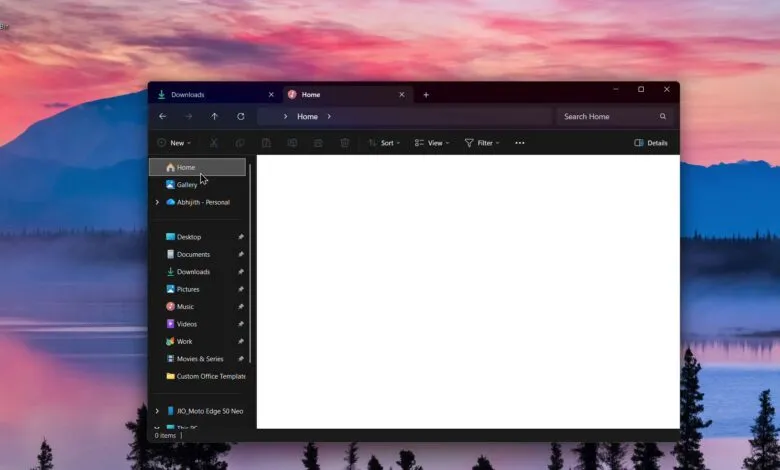
A notable fix addresses the jarring white flash in dark mode, a long-standing annoyance for many users. Previously, opening File Explorer, creating new tabs, or resizing the Details pane could cause a bright white screen to flash momentarily before the dark theme applied correctly. This visual glitch has been resolved in the latest preview build. The update also expands functionality by adding native support for several archive formats. Users can now right-click on files with extensions like .cpio, .uu, .xar, and .nupkg to extract their contents directly, with Microsoft indicating more formats will be supported in future updates.
Beyond speed and visuals, Microsoft has worked to improve overall system reliability by strengthening the explorer.exe process. This core component, which manages the desktop and taskbar, has been prone to crashes, especially when closing File Explorer windows or during system startup. The refinements aim to make interactions with the taskbar, system tray flyouts, and Task View more stable. Additionally, a fix ensures that custom folder view settings, such as icon size or sort order, are now consistently applied even when accessing a folder from another application like Microsoft Edge.
Other subtle but welcome tweaks include a new “Preview anyway” option for internet-downloaded files and updated iconography in the File Explorer search bar to better match the Windows 11 design language. These cumulative improvements demonstrate a tangible shift toward refining core user interface elements, moving beyond promotional features to deliver a more polished and responsive operating system.
(Source: WindowsLatest)