iOS 26 vs iOS 27: Apple Replaces Siri with Next-Gen AI
▼ Summary
– iOS 27 expands lock screen customization, allowing users to resize the time display and adjust layout with a new dedicated icon.
– The liquid glass design is refined with enhanced depth in app icons and a new liquid gloss slider for precise transparency control.
– Widgets now include a full-page size for apps like Music, Weather, and Clock, though only Apple’s native widgets are currently supported.
– The camera app is overhauled with relocated settings, faster photo capture, and advanced editing tools like Cleanup, Extend, and Reframe.
– Performance boosts include up to 30% faster app launches, 80% faster AirDrop transfers, and optimized photo loading, benefiting older devices like the iPhone 11.
Apple’s newest operating system, iOS 27, arrives as a thoughtful evolution of iOS 26, bringing together design refinements, smarter tools, and faster performance. The updates may not overhaul the interface overnight, but they collectively create a more polished and capable experience. A detailed breakdown from AppleDsign highlights the key changes worth knowing.
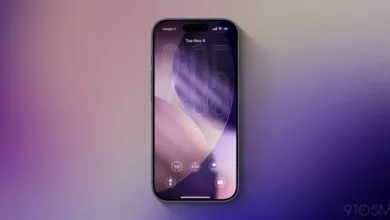
One of the most visible upgrades is the lock screen customization. iOS 27 now lets users resize the time display, giving wallpapers more breathing room and a cleaner overall look. A new icon dedicated to time adjustments makes fine-tuning simpler, a feature that was missing from iOS 26. The result is a lock screen that feels both more personal and more functional.
The liquid glass design has also been refined. App icons, especially for native apps like Photos and Messages, now show greater depth and visual layering. A new liquid gloss slider replaces the older “clear” and “tinted” options, allowing precise control over transparency. These changes make the interface feel more immersive and modern without losing coherence.
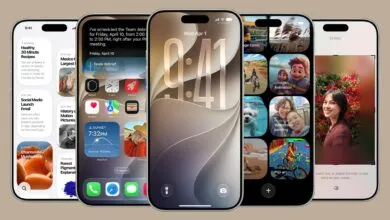
Widgets get a significant boost with the addition of a full-page size. Apps like Music, Weather, and Clock now offer more detailed information at a glance. While this feature is currently limited to Apple’s own widgets, it hints at future support for third-party options. For users who rely on widgets for quick access, this is a practical step forward.
The camera app has been completely reworked for speed and ease of use. Key controls like exposure, flash, and resolution now sit at the top of the interface, making adjustments faster. Photo capture is nearly instant, and images save directly to the camera roll. New editing tools eliminate the need for third-party apps:
- Cleanup removes unwanted objects from photos effortlessly.These tools make professional-quality editing accessible right on the device.Shortcuts automation has become far more user-friendly. Instead of manually coding actions, users can now describe what they want in plain language, and the system generates the shortcut automatically. This lowers the barrier for beginners while saving time for power users, making automation more widely useful.Performance improvements are substantial across the board. App launches are up to 30% faster, AirDrop transfers are up to 80% faster, and photo library loading has been optimized for minimal delay. These gains extend to older devices like the iPhone 11, ensuring that even aging hardware benefits from the update. Apple’s focus on optimization means a smoother experience for everyone.In summary, iOS 27 builds on iOS 26 with meaningful upgrades to customization, design, widgets, camera tools, automation, and speed. Whether you care most about aesthetics, efficiency, or raw performance, this update delivers a more refined and responsive experience.For more detailed guides on iOS 27 customization, check out the additional resources available from AppleDsign.