iOS 27 Tidbits: Share Phone Numbers, Independent Alarm Volume, Faster AirPlay
▼ Summary
– iOS 27 adds a dual phone number feature that lets users switch between two iPhones using the same number, possibly requiring carrier support.
– FaceTime calls will support using both the front and back cameras simultaneously with a new dual camera feature.
– AirPlay and AirDrop performance is improved, with faster content streaming to HomePod and Apple TV and quicker device-to-device transfers.
– New features include an extra large widget size for the Home Screen, a drawing app in Messages, and the ability to set shared photo albums to expire.
– System changes include independent alarm volume control, Markdown support in Notes, and the option to save a video frame as a photo in the Photos app.
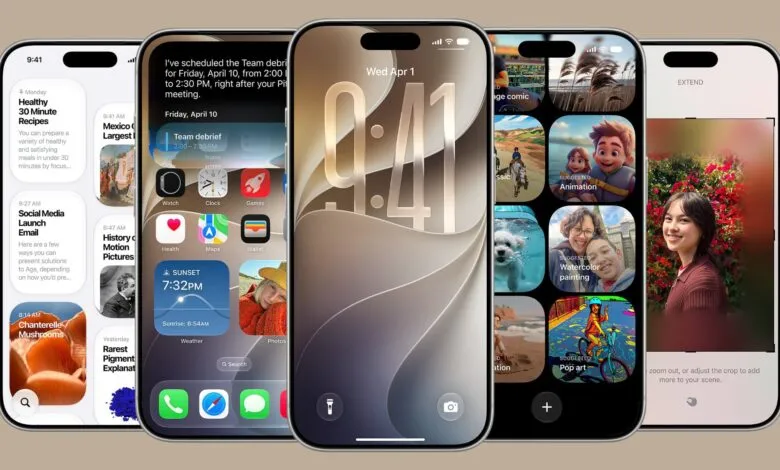
At WWDC 2026, Apple unveiled major iOS 27 upgrades like a dedicated Siri app and expanded Apple Intelligence features. But beyond the headline acts, the update is packed with subtle yet impactful changes that didn’t make the keynote stage. Here’s a closer look at what’s new.
Dual Phone Numbers now let you switch between two iPhones using the same number. This could work like the existing iPhone-Apple Watch pairing, allowing you to alternate between a foldable iPhone and a standard iPhone 18 Pro this year. Carrier support may be required, so availability in the beta remains unclear.
Two FaceTime Cameras enable simultaneous use of the front and rear cameras during video calls, adding a new layer of versatility.
Faster AirPlay and AirDrop come from multiple system tweaks. Streaming to HomePod or Apple TV is quicker, and AirDrop transfers between iPhones and other devices are speedier, with faster detection of nearby recipients.
A Messages Drawing App brings handwriting and sketch tools to iMessage, using the same brush set found in Notes or image annotation.
Extra Large Widgets introduce a new size that fills an entire Home Screen page, offering richer app data at a glance.
Shared Album Expirations let you set a time limit on shared photo albums, so they don’t linger indefinitely.
Independent Alarm Volume is a long-requested feature. In Settings > Sounds & Haptics, you can now decouple alarm, timer, alert, and system sound volumes from the ringtone volume. Toggle off the match option to set preferred levels for each.
Markdown in Notes now supports copy and paste, streamlining text formatting.
Save a Video Frame in Photos lets you capture a still image from any video directly.
The Weather app gains a “Highlights” view for at-a-glance info, plus updated hourly and 10-day forecasts for precipitation and wind speed.
The full list of optimizations includes: faster message loading in Mail, enhanced Safari power efficiency, improved battery insights, smoother scrolling in App Library, smoother iPhone unlocking, new AutoMix transitions in Apple Music, faster HomeKit accessory pairing, quicker Safari start page loading, more accurate Visited Places in Maps, improved Messages syncing, more power-efficient personal hotspot on N1 chip devices, automatic retries for failed messages, improved Bluetooth power management, support for time zone changes in Sleep, and better unread badge accuracy in Mail.
These are just the highlights of what iOS 27 brings. As the community digs deeper, more features will surface. The iOS 27 beta is live for developers now, with a public beta expected in July and a full launch this fall.
(Source: MacRumors)