Gmail adds AI inbox to bottom bar, makes Help Me Write more personal
▼ Summary
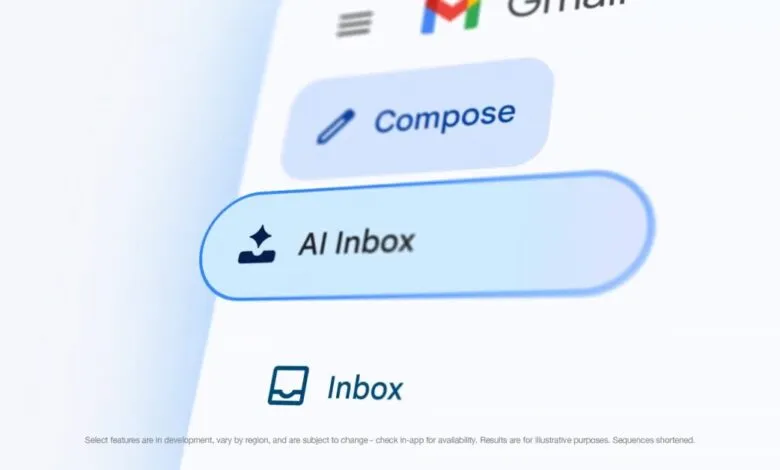
– AI Inbox is launching on Gmail for Android and iOS, accessible via the navigation drawer and a new tab in the bottom bar between Gmail and Chat.
– The mobile AI Inbox interface mirrors the desktop version, showing a greeting with task counts, followed by “Suggested to-dos” and “Topics to catch up on.”
– AI Inbox is currently available in beta for Google AI Ultra subscribers.
– Google is updating “Help me write” to personalize drafts by connecting to Google Drive and Gmail for contextual information and matching the user’s tone and style.
– The “Help me write” update is available to Google AI Plus, Pro, and Ultra subscribers, as well as various Business, Enterprise, and Education plans.
Google is rolling out a significant update to its email platform, beginning with the introduction of AI Inbox to the Gmail mobile apps for Android and iOS. Following its debut on the desktop version, the new feature now appears in the navigation drawer, listed directly below the standard Inbox. However, the most notable placement is in the bottom bar of the app.
There, AI Inbox sits between Gmail and Chat, creating a four-tab layout that also includes Meet. This prominent positioning gives users easy access to what Google envisions as a task-focused inbox where action items take precedence over individual message threads.
The mobile interface mirrors the desktop experience. Users are greeted with a summary of their outstanding to-dos and topics. The screen is then divided into two main sections: “Suggested to-dos” at the top, followed by “Topics to catch up on” below. Currently, AI Inbox is available in beta exclusively for Google AI Ultra subscribers.
In a parallel update, Google is enhancing the Help Me Write feature to make email composition more personal and efficient. The tool now offers two key improvements:
First, topic contextualization allows the AI to connect to your Google Drive and Gmail based on your prompt. It automatically pulls relevant information from these apps and inserts it directly into your draft, saving you the time spent toggling between apps to find specific details. Second, tone and style personalization enables Help Me Write to generate drafts that match the voice and style of your previous emails.
The goal is to reduce what Google calls “cross-Workspace app context switching” , the time spent referencing correct sources, typing, copying, pasting, and formatting. For professional users, the company highlights several practical use cases, including responding to customer and partner inquiries, distributing documents to collaborators, reporting project progress to leadership, seeking team assistance, providing peer feedback, sharing organizational announcements, introducing new projects, exploring partnerships, and even managing teacher-parent communications or writing grant proposals.
This Help Me Write update is available to Google AI Plus, Pro, and Ultra subscribers, as well as users on Business Starter, Standard, and Plus plans, Enterprise Starter, Standard, and Plus tiers, and the Education Add-on: Google AI Pro for Education.
(Source: 9to5google.com)