7 Open-Source Apps So Good, I’d Gladly Pay for Them
▼ Summary
– The author highlights several exceptional open-source applications they consider so valuable they would be willing to pay for them.
– Docker is praised for simplifying the deployment of complex apps and services through containerization, saving significant time and effort.
– VirtualBox is valued for its ability to easily create, manage, and roll back virtual machines, eliminating the need for multiple physical computers.
– OBS (Open Broadcaster Software) is described as a powerful, free studio for desktop live streaming and video/audio production.
– Nextcloud, Zen Browser, KDE Plasma, and Jellyfin are recommended for enabling data privacy, efficient browsing, a polished desktop experience, and private media streaming, respectively.
The world of open-source software is filled with hidden gems, applications so well-crafted and indispensable that their free price tag feels almost unbelievable. From streamlining development to reclaiming digital privacy, these tools deliver professional-grade performance without the cost. Having relied on open-source solutions for decades, I’ve encountered a select few that are so integral to my workflow, I would gladly open my wallet to support them. These aren’t just free alternatives; they are best-in-class software that happens to be open source, available across Linux, Windows, and macOS.
Docker stands at the top of this list. While I may not issue Docker commands daily, the results are constantly at work on my network. It transforms what would be hours of complex server setup, installing dependencies, configuring databases, and establishing reverse proxies, into a process that takes mere seconds. For deploying apps and services efficiently, it’s an irreplaceable tool that justifies its value many times over. While a paid enterprise version exists, individual users can show support by purchasing items from the Docker store.
Another cornerstone of my setup is VirtualBox. This virtualization powerhouse eliminates the need for a closet full of spare hardware. It allows me to install, test, and manage multiple operating systems with incredible ease. Features like system snapshots, effortless cloning, and headless operation for background services make it a time-saving essential. The ability to roll back an OS to a previous state is a lifesaver, making VirtualBox a utility I have long considered worth paying for.
For anyone involved in content creation, OBS (Open Broadcaster Software) is nothing short of a miracle. This free application is a full-fledged broadcast studio for your computer, enabling professional live streaming and video capture. You can build complex scenes from various sources, window captures, webcams, images, and text, all mixed in real time. Its power and flexibility are astounding for a free tool, making it the undisputed choice for desktop streaming and recording.
In the quest for digital autonomy, Nextcloud has been a game-changer. It’s the cornerstone of my gradual migration away from large cloud providers. By hosting it on my own network, I regain control over my data for file synchronization, document editing, and more, without concern for third-party data mining. In an era where privacy is paramount, Nextcloud provides a powerful, self-hosted alternative to services like Google Drive, putting security back in the user’s hands.
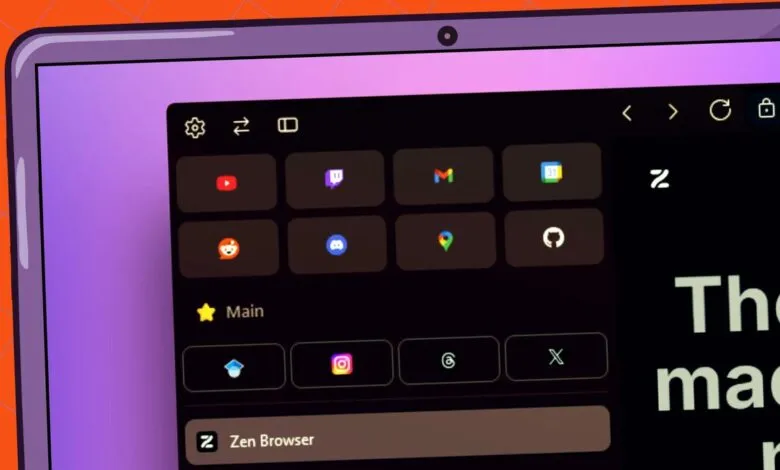
When it comes to web browsers, Zen Browser has captured my preference on Linux. It embodies what a modern browser should be: fast, efficient, and packed with thoughtful features like workspaces and vertical tabs, all without unnecessary bloat. Since a browser is a daily workhorse, having one that aligns so perfectly with productivity needs makes it a tool I would absolutely support financially.
On the Linux desktop front, KDE Plasma is in a league of its own. It combines stunning visual design with deep customization and buttery-smooth performance. More than just a pretty interface, it’s a profoundly functional and user-friendly environment that outshines many competitors. I regard it as the definitive desktop experience for Linux, so polished and reliable that it feels like a premium product deserving of support.
Finally, for managing and streaming a personal media library, Jellyfin is the ultimate solution. It turns a collection of movies, music, TV shows, and even live TV into a beautiful, accessible streaming service on your home network. With a sleek interface and broad client support for nearly every device and platform, it simplifies a complex task, offering a private alternative to commercial streaming services. Its capability and polish make it another standout in the open-source world.
(Source: ZDNET)