Windows 11 KB5079391 Update: Features and Offline Installer Links
▼ Summary
– This optional Windows 11 update (KB5079391) adds support for 1000 Hz refresh rate monitors and allows users to toggle Smart App Control on or off without reinstalling the operating system.
– The update is manually installed via Windows Update and increases the OS build number, but its features will also be included in the scheduled April 2026 Patch Tuesday release.
– It includes various fixes and improvements, such as making the unblocking process for internet-downloaded file previews in File Explorer more reliable and resolving a Safe Mode taskbar instability issue.
– The update improves display support by potentially reducing power usage for monitors with USB4 connections and enhancing HDR reliability and rotation support after sleep.
– Direct download links are provided for offline installers, and the update size via the Update Catalog is large (around 4.8GB), though it is smaller when installed through the recommended Windows Update method.
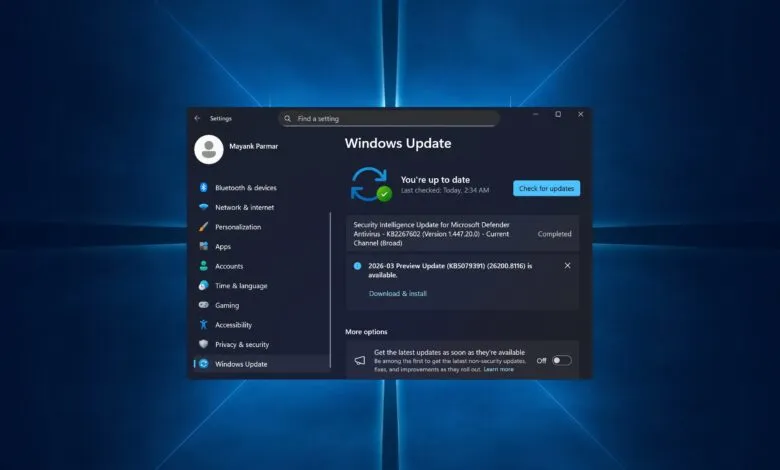
The optional Windows 11 KB5079391 update is now available, introducing several key enhancements for users. This preview update, officially labeled “2026-03 Preview Update (KB5079391) (26200.8116),” must be manually selected for download from the Windows Update settings. It advances Windows 11 25H2 to Build 26200.8116 and Windows 11 24H2 to Build 26100.8116. For those who have enabled the “Get the latest updates as soon as they’re available” toggle, the update will install automatically. Users who prefer to avoid optional updates should ensure this setting is turned off.
A standout feature is the introduction of 1000 Hz refresh rate support, catering to the latest high-performance gaming monitors like the Acer Predator XB273U F6. This support is being rolled out gradually and may not be immediately visible after installation. Another significant change is the long-awaited ability to enable or disable Smart App Control directly from the Windows Security settings without requiring a full OS reinstall or reset. This security feature, designed to block malicious applications, had previously forced users into a reinstallation to change its state. Microsoft notes this functionality is now beginning its rollout.
The update also refines the Settings app, allowing users to switch Microsoft 365 subscription plans directly from the Accounts section. The interface has been polished with updated dialog boxes and a more structured “About” page for easier access to device specifications. Users may also notice the new ‘Device’ card on the Settings homepage and overall improved app performance.
Several File Explorer improvements address a persistent issue where previews for internet-downloaded files were blocked. The update makes the unblocking process more reliable. Additionally, Voice Typing now works with advanced File Explorer controls like renaming, and the “Advanced Security Settings” pop-up includes sorting for permissions.
For display and power management, the update helps reduce excessive power consumption on monitors using a USB4 connection by optimizing the USB controller’s power state during sleep. It also improves rotation support when resuming from sleep and enhances HDR reliability on some displays.
The update package is notably large when installed via the Update Catalog, with a reported size of approximately 4.8GB for the 25H2 version. However, installations through Windows Update are significantly smaller. Other fixes include resolving an unstable taskbar in Safe Mode, improving Voice Access for numbers in English, enhancing Start Menu Group Policy application, and boosting Windows Hello reliability. A bug where `sfc /scannow` incorrectly reported errors has also been addressed.
Microsoft has stated that all features and fixes in this optional update will be included in the scheduled April 2026 Patch Tuesday release on April 14. Users can therefore skip this preview without missing any functionality. Initial testing has not revealed any new widespread issues with Build 26200.8116.
(Source: WindowsLatest)