Windows 11 Security Update Fails to Install, Microsoft Confirms

▼ Summary
– The May 2026 Windows 11 security update (KB5089549) fails to install on some systems, triggering 0x800f0922 errors due to insufficient free space on the EFI System Partition (ESP), especially when 10 MB or less is available.
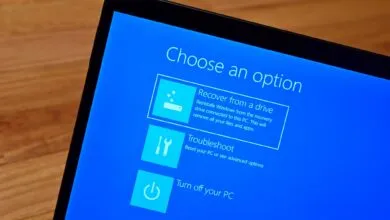
– Affected installations proceed through initial phases but fail during reboot at approximately 35–36% completion, rolling back with the message “Something didn’t go as planned. Undoing changes.”
– Log entries indicating the issue include “SpaceCheck: Insufficient free space” and “ServicingBootFiles failed. Error = 0x70,” pointing to third-party or OEM files consuming ESP space.
– Microsoft advises affected users to mitigate the issue using the Known Issue Rollback feature, which reverses buggy updates pushed via Windows Update.
– In enterprise environments, IT admins can manually mitigate by installing and configuring a specific Group Policy, which temporarily disables the change causing the issue.
Microsoft has acknowledged that the May 2026 security update for Windows 11 (identified as KB5089549) is failing to install on certain machines, producing 0x800f0922 errors during the process. The problem stems from insufficient storage on the EFI System Partition (ESP), which forces the update to reverse itself automatically on impacted devices.
According to Microsoft, “This issue affects devices with limited free space on the EFI System Partition (ESP), especially when the device has 10 MB or less space available.” On such systems, the installation may begin normally but stalls and fails during the reboot phase, typically at around 35–36% completion.
Affected users will see the message “Something didn’t go as planned. Undoing changes.” when the rollback occurs. Additionally, system logs may reveal entries like “SpaceCheck: Insufficient free space,” “ServicingBootFiles failed. Error = 0x70,” or “SpaceCheck: used by third-party/OEM files outside of Microsoft boot directories.”
While Microsoft continues developing a permanent fix, it recommends that affected customers apply the Known Issue Rollback (KIR) feature, which is designed to reverse problematic updates delivered via Windows Update. For enterprise-managed environments, IT administrators can manually deploy and configure a specific Group Policy to address the issue.
“You will need to install and configure the Group Policy for your version of Windows to resolve this issue,” Microsoft stated. “You will also need to restart your device(s) to apply the group policy setting. Note that the Group Policy will temporarily disable the change causing this issue.” Detailed instructions for deploying and configuring Known Issue Rollback group policies are available on Microsoft’s support site.
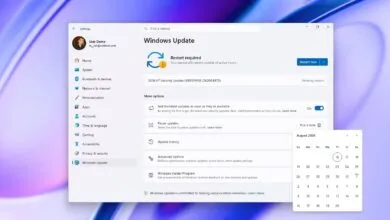
The KB5089549 cumulative update was released last week alongside dozens of other bug fixes, security patches, and improvements. Notably, it includes a fix for a separate known issue that caused some Windows 11 systems to boot into BitLocker recovery after installing the April 2026 security updates.
Earlier this month, Microsoft also addressed a Windows Autopatch bug that inadvertently deployed driver updates restricted by administrative policies on certain Autopatch-managed Windows devices across the European Union. The company further confirmed that the April 2026 security updates were causing failures in third-party backup applications that rely on a vulnerable driver.
(Source: BleepingComputer)