Windows 11 2026 update: 10 things to know before upgrading
▼ Summary
– Windows 11 version 26H2 shares the same platform and feature set as version 25H2, with differences limited to version/build numbers and support lifecycle.
– Version 26H2 will be released as an Enablement Package (eKB), allowing users on 25H2 or 24H2 to upgrade with a small update and single restart instead of a full reinstallation.
– Devices on older versions like 23H2 or Windows 10 must perform a full feature update to install version 26H2, which preserves files, apps, and settings.
– The primary reason to upgrade to version 26H2 is to extend support by one year beyond 25H2’s October 2027 end date, not to gain new features.
– Microsoft will use a gradual rollout strategy for version 26H2, expanding availability over weeks or months via the Controlled Feature Rollout system.
Later this year, Microsoft is expected to ship the Windows 11 2026 Update (version 26H2), which will be the fifth major feature update for the desktop operating system. While this release does not represent a complete overhaul of the OS, skipping it would still be a mistake. Here are ten critical facts about Windows 11 version 26H2 to consider before you upgrade.
1. It’s Built on the Same Platform as Version 25H2
Despite being marketed as a new version, Windows 11 26H2 shares the identical underlying platform as version 25H2. This mirrors the relationship between versions 24H2 and 25H2, meaning the core operating system code is unchanged.
2. No New Features at Launch
Version 26H2 includes the exact same set of features and improvements already present in version 25H2. Microsoft is not introducing a separate feature set for this release. The primary differentiators will be the version and build numbers (the 26300 series for 26H2 versus the 26200 series for 25H2) and the support lifecycle. Both versions will receive the same cumulative updates (KB numbers) and improvements going forward.
3. Quick Installation via an Enablement Package
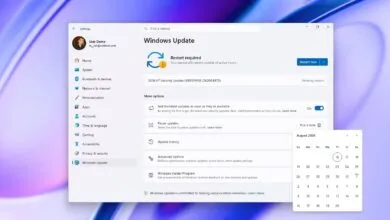
The upgrade to version 26H2 will be delivered as an Enablement Package (eKB) for users already on version 25H2. This is a small update that acts as a “switch,” activating dormant features already present in the OS. The process will be quick, requiring only a single restart, and will likely be offered as an optional update initially before becoming automatic.
4. Full Reinstallation Required for Older Versions
If you are on Windows 11 version 23H2 or older, upgrading to 26H2 will require a full feature update, not just a small package. Devices running version 24H2 or 25H2 can use the Enablement Package, but older builds must undergo a complete operating system reinstallation.
5. Direct Upgrade Path from Windows 10
Computers still running Windows 10 can upgrade directly to Windows 11 version 26H2. Compatible devices will receive the latest supported version through Windows Update, bypassing the need to install version 24H2 or 25H2 first. If the update isn’t offered automatically, you can use Microsoft’s installation media for an in-place upgrade.
6. Upgrade from Any Older Version with ISO Files
You can upgrade directly to version 26H2 from versions 23H2, 22H2, or even Windows 10 using an ISO file. This method performs a standard in-place upgrade, preserving your files, apps, and settings. However, even if you are on 24H2 or 25H2, using an ISO will trigger a full reinstallation rather than the quick Enablement Package method.
7. The Primary Reason to Upgrade: Extended Support
Since versions 24H2, 25H2, and 26H2 are virtually identical, the main incentive to upgrade is extending your device’s support lifecycle. Version 25H2 is supported until October 2027, but upgrading to 26H2 adds another year of security updates and bug fixes. Version 24H2 will retire on October 13, 2026, making an upgrade to 26H2 a priority for those users.
8. No Urgency to Upgrade Immediately
Because all three recent versions offer the same features, there is no rush to install 26H2 the moment it becomes available. You can continue using version 25H2 until you are ready. However, you should plan to install the 2026 Update before version 25H2 reaches its end of life to maintain security.
9. Identical Hardware Requirements
Windows 11 version 26H2 does not introduce any new hardware requirements. The same minimum specs apply: a 1GHz dual-core processor, 4GB of RAM, 64GB of storage, UEFI with Secure Boot, TPM 2.0, a DirectX 12 compatible GPU, and a 720p display. If your device runs version 25H2, it will be fully compatible with 26H2.
10. A Gradual, Controlled Rollout
Microsoft will use its Controlled Feature Rollout (CFR) system to release version 26H2 gradually. This allows the company to monitor compatibility and performance before expanding availability. Not all devices will see the update on day one. If yours doesn’t, it simply means the rollout hasn’t reached your hardware configuration yet.
Final Analysis
The Windows 11 2026 Update represents a significant shift in how Microsoft delivers upgrades. A new version number no longer signals a major redesign or a lengthy installation process. Instead, the company favors smaller, less disruptive transitions. This model reduces the risk of driver problems and upgrade failures, making it easier for users to stay current. While I don’t see 26H2 as an urgent update for those on 25H2, the direction is positive. Faster, more reliable upgrades could finally solve the long-standing problem of users delaying new versions. What do you think? Do you prefer these smaller, smoother updates, or do you want major new features with every release? Share your thoughts in the comments.
For more in-depth guides and troubleshooting advice on Windows 11 and 10, continue browsing our resources. Join the discussion on Reddit at r/WindowsCentral.
(Source: Windows Central)