Find Hub App Adds Map Layers for Android
▼ Summary
– Google is adding support for map layers to its Find Hub app for Android devices.
– A new floating button lets users switch between Default, Satellite, Terrain, and Traffic map views.
– These map types can be useful when navigating to locate a lost device.
– The feature is only accessible from the main map screen, not from an individual device’s view.
– The update is rolling out via an app version and a server-side component that is not yet fully available.
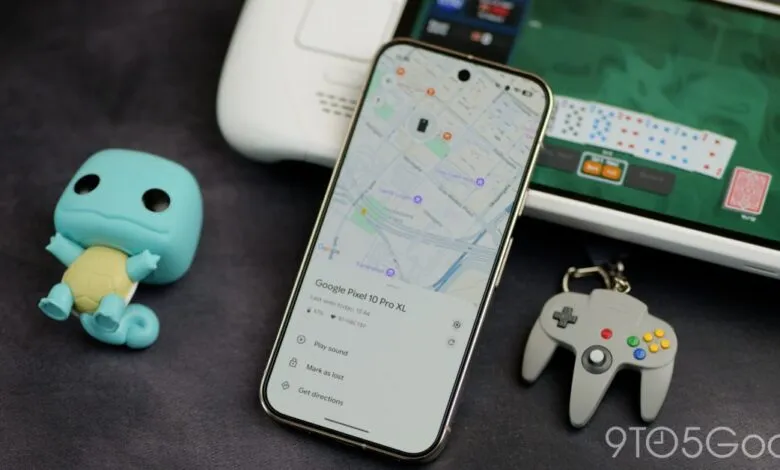
Google has enhanced its Find Hub application for Android by introducing new map layers, a feature that provides users with greater flexibility and visual context when locating their devices. This update follows the recent launch of Find Hub for Wear OS, marking a continued effort to improve the utility of Google’s device-finding ecosystem. The addition is a subtle but practical quality-of-life improvement that many will find useful.
A small floating action button now appears just below the account switcher on the main map screen. Tapping this button opens a menu to “Choose map type.” Users are presented with several options beyond the standard default view. The newly available layers include “Satellite,” “Terrain,” and “Traffic,” mirroring the familiar choices found in Google Maps. These different map types can be particularly helpful when navigating to a lost device, offering clearer landmarks or road condition information.
It is important to note that this layer selection is only accessible from the primary map view, which displays either your Devices or People. Once you select a specific device to track, the option to change the map type is no longer available from that detailed view. The functionality is tied to the broader map interface.
This feature is part of Find Hub version 3.1.485-2 for Android. While the application update itself is widely available for download through the Google Play Store, the full activation of the map layers involves a server-side component that Google is gradually enabling. This means some users might install the latest version but not immediately see the new button, as the rollout is still in progress.
(Source: 9to5 Google)