Gemini Automation: Slow but Impressively Powerful
▼ Summary
– Gemini’s new task automation feature, currently in beta, allows it to operate apps like food delivery and rideshare services on select phones, though it is slow and limited in scope.
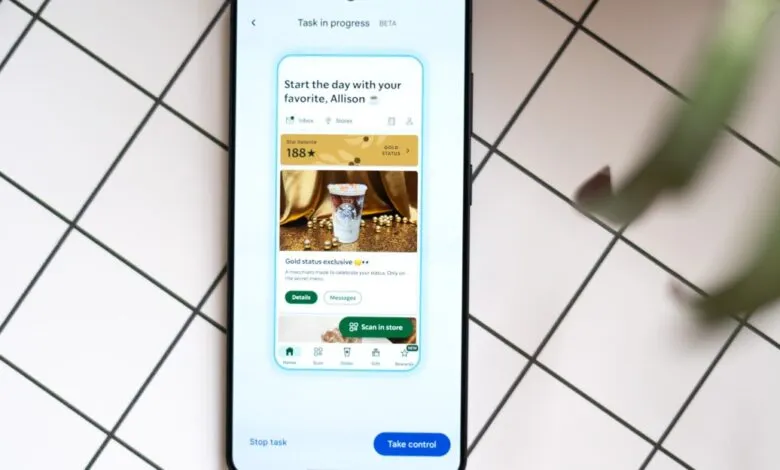
– The automation is designed to run in the background, allowing users to multitask, and it requires final user confirmation before completing actions like placing an order.
– While performing tasks, Gemini displays its actions on-screen and can reason through steps, such as correctly combining menu items, but it can also struggle with obvious on-screen elements.
– In a test, Gemini successfully used calendar and email data to schedule a timely airport ride after a prompt, demonstrating its ability to interpret natural language and context.
– The article suggests current app interfaces are poorly suited for AI, and this automation is a stopgap until more robust integration methods, like MCP or Android app functions, are adopted.
Testing Gemini’s new task automation feature on flagship phones reveals a technology that is undeniably slow and clunky, yet undeniably powerful. Currently in beta and limited to a few food delivery and rideshare apps, this tool doesn’t solve an urgent problem. Instead, it offers a compelling glimpse into a future where AI assistants can genuinely operate our smartphones. This isn’t a controlled demo; it’s a raw, functional preview of an automated future that feels both awkward and revolutionary.
Speed is not its forte. If you need an immediate ride or a quick meal, you are still far more efficient. The real value of task automation lies in its ability to work in the background. You can let it handle an order while you use other apps or step away from your phone entirely, freeing you to focus on other things. For the curious, watching the process unfold is fascinating. On-screen text narrates each step, like “Selecting a second portion of Chicken Teriyaki for the combo.” In one test, it correctly interpreted an order for a chicken combo plate by adding two half-portions from a menu, demonstrating on-the-fly reasoning.
However, observing this can be an exercise in patience. Watching the AI struggle to locate a clearly visible menu item is a peculiar form of suspense. In one instance, assembling a teriyaki order involved a few wrong turns, ultimately taking about nine minutes. The system is designed to stop just before final confirmation, requiring a human to approve the task. This safety checkpoint is essential, and in extensive testing, the feature has never completed an order autonomously. Its accuracy is surprisingly high, with few corrections needed on final orders. Most failures occur early, often due to app permissions or location settings that require manual intervention.
The most impressive demonstration involved a complex, multi-step request. After adding a fake flight to San Francisco to a calendar, a vague prompt asked Gemini to schedule an airport Uber for the next day. By accessing calendar and email data, it located the flight details, calculated a logical departure time, and proposed scheduling a ride. After a quick confirmation, it completed the setup in about three minutes without further help. This highlights a key advancement: natural language understanding. The ability to parse vague, human instructions and execute them across apps is a significant leap beyond simple voice commands for timers or music.
This experiment also exposes a fundamental tension. Our apps are designed for human perception, with enticing photos and promotional clutter. An AI agent has no use for these visual cues. A more efficient system would provide a clean data interface, a direction the industry is exploring through initiatives like the Model Context Protocol (MCP). For now, having an AI model visually navigate a human-centric interface feels inefficient and fragile. It occasionally hits snags and offers poor explanations for failures.
This iteration of automation seems like a necessary stopgap. It exists because more robust integration methods, like MCP or Android’s app functions, are not yet widely adopted. This public beta may serve as both a public preview of AI’s potential and a nudge to developers to build better machine-friendly infrastructure. Regardless, it represents a notable, promising first step toward redefining how we interact with our devices, marking a slow but powerful beginning to a new era of mobile assistance.
(Source: The Verge)