Build Your Own Photo Cloud: Ditch Subscriptions Forever
▼ Summary
– Google Photos offered free unlimited photo storage starting in 2015 but ended this policy in 2021, requiring users to pay for additional storage.
– The author prefers using an external hard drive for backups to avoid ongoing subscription costs and maintain control over their files.
– External drives offer a cost-effective, long-term storage solution, with 1TB SSDs available for under $100 and lasting at least five years.
– The author’s backup process involves transferring files monthly to both a laptop and an external drive, organizing them into dated or event-labeled folders.
– This manual system encourages more intentional photo-taking and ensures memories are stored on a physical device owned by the user, not a corporation.
Returning from a trip with over a thousand new photos presents a familiar dilemma for many people today, how to store them all securely without breaking the bank. For years, Google Photos offered a seemingly perfect solution with free, unlimited storage, acting as a digital vault accessible from any device. That all changed in 2021 when the company ended its free unlimited plan, leaving users with only 15GB of shared storage and pushing many toward a paid Google One subscription.
This shift wasn’t entirely unexpected. Providing endless free storage simply isn’t sustainable, even for a tech giant. Every photo and video stored in the cloud occupies physical space on servers, essentially, someone else’s computer. Once the free tier filled up, continuing to upload meant paying a monthly fee. Over time, these small recurring charges add up significantly: $10 each month becomes $120 annually, and over a decade, that totals $1,200. Worse, canceling the subscription doesn’t just halt new uploads, it risks losing access to existing files after a period.
Searching for an alternative, I turned to a more self-reliant approach: managing my photo library using an external hard drive. Although it demands more hands-on effort than automated cloud backups, this method offers a permanent, subscription-free solution. You retain full control over your data without ongoing costs.
Some might consider upgrading to a phone with higher built-in storage, like 1TB, to avoid cloud fees. However, phones have limited lifespans and will eventually need replacement. Transferring a large library to a new device requires equal or greater capacity, plus room for future media. Compounding this, file sizes keep increasing. Modern smartphone cameras produce high-resolution images, a 24-megapixel photo can be around 3MB, while just one minute of 4K video may exceed 1GB. Even a 256GB phone, now common as a base model, can fill up surprisingly fast.
External drives provide a practical and affordable workaround. A 1TB solid-state drive often costs under $100, far less than the premium for higher storage on a new phone. For example, Apple charges a $400 markup for the 1TB iPhone Air over its 256GB version. Drives also work across multiple devices and typically last years, HDDs around three to five, and SSDs at least five.
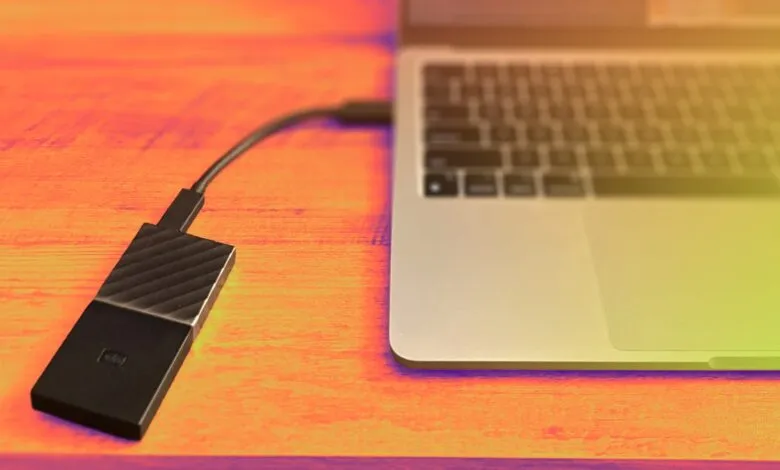
The backup process does require a routine. I make dual copies: one on my laptop and another on an external SSD. My MacBook, with its ample storage, receives all photos and videos from my iPhone. I enable the “Delete items after upload” option in the Photos app to free phone space. Next, I connect the external drive, select the newest batch of images sorted by date, and drag them into a dated or event-named folder, like “July 2025” or “London Trip.” For large batches exceeding 500 files, I transfer in smaller groups to avoid interruptions.
I try to back up monthly or after special events, and sometimes before major software updates. This habit has become a ritual, marking the close of one chapter and the start of another. Organizing is straightforward, each backup gets its own labeled folder. I strongly recommend creating a duplicate backup on a separate external drive as a safety net against drive failure.
One trade-off with local storage is that not every photo is instantly accessible from my phone. However, I find this reasonable. I don’t need every image I’ve ever taken in my pocket. Important photos are often saved elsewhere, like in email or social media. On my phone, I keep only a curated selection, frequently referenced documents or cherished moments, much like the single wallet photo of the past.
Managing files manually does take extra time, but the benefits outweigh the hassle. Not only does it save money long-term, but it also provides peace of mind. My memories reside on a physical device I own, not on a remote server controlled by a corporation. Relying solely on a service like Google One means your data is subject to policy changes, price hikes, or even service discontinuation. Remember, even industry leaders like Kodak eventually faltered.
An unexpected advantage has been developing a more mindful approach to photography. Being responsible for my own backups has made me more selective about what I capture. I’ve learned that not every moment needs a photograph, some are best preserved as memories.
(Source: CNET)