6 Hidden Android Automation Features Already on Your Phone
▼ Summary
– Android users often miss automation tools in their device settings.
– The article highlights the best automation features available on Android.
– These features can help streamline tasks and save time.
– They are hidden in the settings menu, requiring users to explore.
– Each automation tool serves a distinct purpose for efficiency.
Most people never realize just how much their Android phone can do on its own. Buried deep in the settings menu, there are powerful automation tools that can save you time, battery life, and mental energy. You don’t need a third-party app to get started. Here are six hidden features already waiting to be turned on.
First, Do Not Disturb scheduling goes far beyond silencing calls. You can set it to activate automatically during meetings, at bedtime, or even when you connect to a specific Wi-Fi network. This means no more fumbling with your ringer before a movie or a late night.
Second, Battery Saver triggers are more flexible than most users think. Instead of waiting for 15 percent, you can set it to kick in at any level you choose. For example, have it turn on automatically at 50 percent if you know you won’t be near a charger for hours. This is a simple way to extend your day without constant monitoring.
Third, Wi-Fi and Bluetooth auto-on is a feature that can prevent awkward moments. You can configure your phone to automatically turn Wi-Fi back on near saved networks or Bluetooth when you get in your car. This eliminates the hassle of toggling these settings manually every time.
Fourth, text message scheduling is built right into the default Messages app. Long press the send button, and you can choose a specific time for your message to go out. This is perfect for late-night replies or birthday wishes you want to send at the right moment.
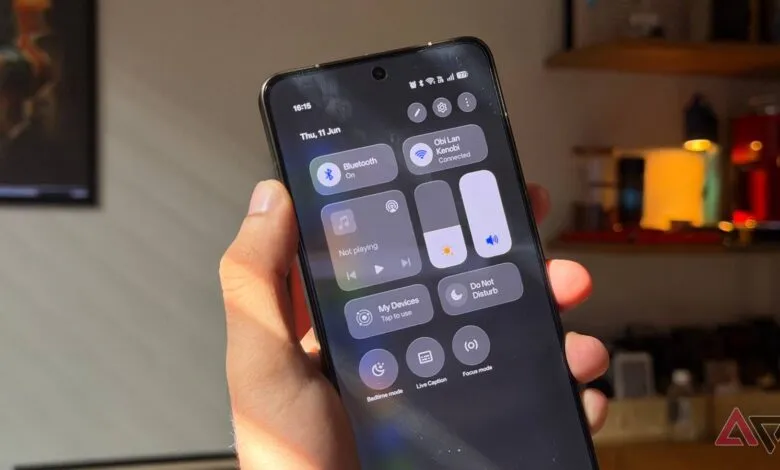
Fifth, quick settings tiles can be rearranged and customized to create one-tap automations. You can add a tile for hotspot, data saver, or even a specific app shortcut. This turns your notification shade into a control center for your daily routines.
Finally, Digital Wellbeing’s Focus Mode lets you block distracting apps on a schedule. You can set it to automatically silence social media during work hours or study time. The best part is that it doesn’t require constant input once configured.
These features are already installed on your phone. The real trick is just knowing where to look. A few minutes of setup can turn your device into a smarter, more helpful companion.
(Source: Android Police)