I tested Google’s 24/7 Gemini Spark AI assistant and found it genuinely useful
▼ Summary
– Gemini Spark is Google’s 24/7 agentic assistant that runs on cloud virtual machines, allowing users to close their laptop while it performs tasks like summarizing emails and organizing spreadsheets.
– In testing, Spark successfully suggested shopping deals and coupon stacking for a drugstore trip, though one promo code was invalid, and it accurately created a day trip packing list but could not export it to Google Keep.
– For summer camp research, Spark generated a list of local teen activities within a 30-minute drive but omitted costs and dates, requiring additional manual research.
– Spark’s recurring tasks worked reasonably well, summarizing newsletters (though returning four articles instead of five) and compiling weekend events from web searches and Gmail, but links sometimes required manual navigation.
– Major criticisms include the lack of Google Keep integration, the confusing standalone branding separate from Gemini, and limited capabilities outside Google’s ecosystem, such as booking restaurant reservations or tracking flight deals.
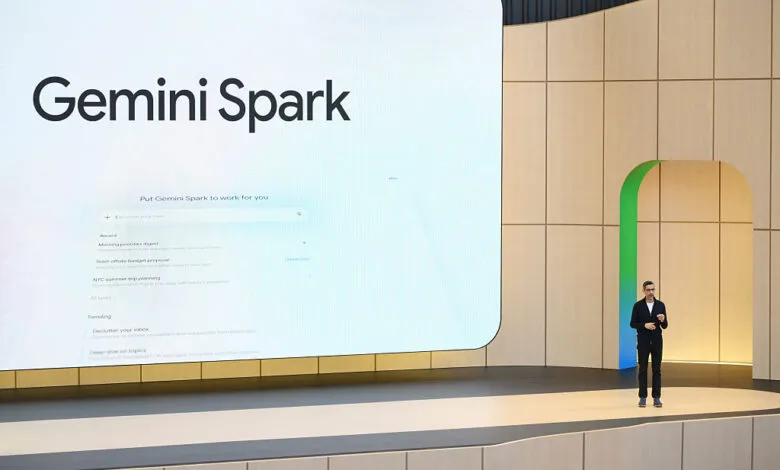
When Google introduced Gemini Spark at its developer conference in May, CEO Sundar Pichai made a playful promise: “Yes, you can close your laptop.” The joke was aimed at other agentic AI systems like OpenClaw, which require your machine to remain awake and running to complete tasks. Spark, by contrast, runs on virtual machines in the cloud, meaning it works whether your device is on, off, or somewhere in between. Pichai framed it as agentic AI for the rest of us , people who want automation without the technical overhead.
In practice, Gemini Spark is a 24/7 digital assistant designed to handle online chores, summarize what you don’t have time to read, and organize tasks that would otherwise demand hours of screen time. It’s tightly integrated with Google’s productivity suite , Gmail, Calendar, Docs, Sheets, and Slides , which means it’s best suited for work-adjacent activities. Google’s own suggestions for personal use, however, feel a bit forced. They propose using Spark to scan your emails and calendar, then deliver a daily recap of your top three must-do tasks. That assumes you track to-dos in a digital app rather than on paper or in your head. Another pitch: using Spark to draft a weekend planner by suggesting free activities based on open calendar blocks. Again, this presumes a level of scheduling obsession most people don’t have.
Despite these caveats, I got early access to Gemini Spark and tested it with my own real-world scenarios. I came away surprised by how genuinely useful it can be , though not convinced it needs its own brand identity.
Finding Savings
I started with a shopping task. I asked Spark to help me find deals at a local drugstore for household items, using weekly sales and available coupons. It performed impressively at first, listing specific products on sale and suggesting coupons to clip in the Walgreens app. It even recommended stacking online promo codes for extra savings on personal care items. However, one of those codes turned out to be invalid despite meeting the stated requirements. Still, Spark compensated by pointing me to buy-one-get-one-free offers and rewards deals that made up for the error.
Planning a Packing List for a Day Trip
Next, I asked Gemini Spark to help me pack for a day trip. I wanted it to check the weather, gather event details, and suggest items like sunscreen or water. I also requested the final list be imported into Google Keep. Here’s where things fell apart: Spark can’t use Google Keep. That’s a major oversight, given that Keep is Google’s own note-taking app and would be essential for personal productivity. Instead, it offered to create a Google Doc or draft an email , neither of which is practical for a quick list. The suggestions themselves were spot-on: lawn chairs, blankets, water, sunscreen, sunglasses, a light layer for evening, a reusable shopping bag, and an umbrella for possible showers. It even reminded me that dogs weren’t allowed at the event. Unfortunately, the list ended up in a Doc instead of a handy note.
Summer Camp and Activity Suggestions
With a teenager who has aged out of kids’ camps, I asked Spark to search for local summer activities for teens, within a 30-minute drive. It generated a solid list of options matching her interests and plotted distances from home. But it didn’t include costs or dates unless I specifically asked, which meant I still had to do extra research.
Summarizing Newsletters from Email
I subscribe to too many newsletters, so I set Spark to prepare a weekly summary every Friday, highlighting the top five articles I shouldn’t miss, with links. The AI dug into my inbox and quickly produced a summary with context and links. But the links were Google.com redirects that didn’t work automatically , I had to click through manually. Also, Spark returned only four articles instead of the requested five, interpreting “five” as “four to five.”
Suggesting Weekend Activities
For another recurring task, I asked Spark to compile a list of weekend activities around town every Friday. Living in a smaller city, I often miss events because there’s no single source for them. Spark set up a web search combined with a scan of my Gmail for local newsletters and digests. It then compiled a list of upcoming events and offered to add them to my calendar if I replied. Without Spark, I would never have learned about the Annual Beaver Queen Pageant , a local event featuring people in beaver costumes raising money for wetland conservation. The process still requires a manual confirmation step, but it’s far easier than reading through multiple sources.
Tracking Price Drops
Finally, I asked Spark to monitor price drops on an expensive eye cream. I wanted an alert if it ever became affordable. Spark interpreted this as checking the price every two weeks. I’m not sure that’s frequent enough to catch a deal, but I’ve set my target price and will update if it works. For now, it feels like wishful shopping.
Room to Improve
Despite these successes, I have two major criticisms. First, there’s no need for Gemini Spark to be a standalone product with its own branding. It adds to consumer confusion in an already crowded AI landscape, where every new model has a quirky name. Why not just pitch Spark as something Gemini can do out of the box? Why does the toggle say “switch to Spark” instead of “switch to Tasks”? I don’t want to decide whether something is a question or a task , I just want to type my request and move on.
Second, the lack of Google Keep integration is a significant gap for personal productivity. A Google Doc is overkill for a packing list. For iPhone users, there’s another frustration: you can’t trigger Spark directly from a hardware button or gesture unless Apple announces support at next month’s WWDC. You have to open the Gemini app and toggle to Spark separately. It would be far better if everything Gemini did were in one place.
Spark will eventually support MCP integrations for tasks like booking a restaurant through Resy or finding flights on a preferred booking engine. But for now, its reliance on Google’s own services limits its usefulness. I’d also love the option to text Spark directly.
Still, I can already see how I’ll integrate Spark into my daily life. I plan to use it for email monitoring, cleanup tasks, and reminders , like swapping the air filter in three months. If I ever take a vacation, I’ll have plenty of tasks for it then. For all its quirks, Gemini Spark is a genuinely useful tool, even if it doesn’t need its own name.
(Source: TechCrunch)