Murena /e/OS Tablet Review: Privacy Comes at a Cost
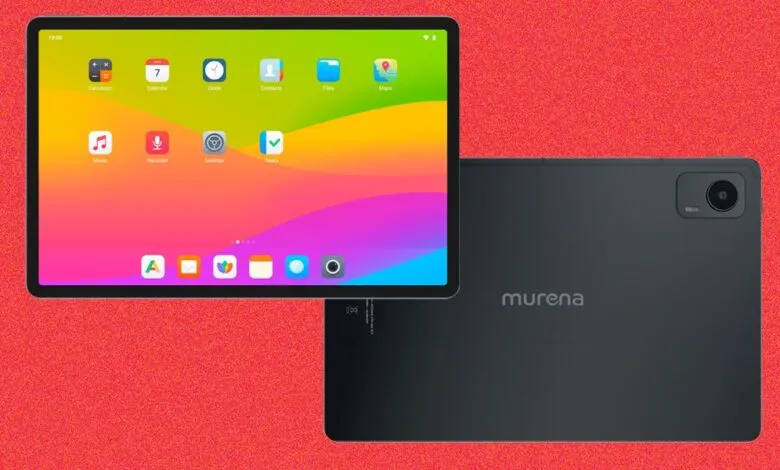
▼ Summary
– The Volla tablet uses a MediaTek Helio G99 chip, which is sufficient for web browsing and 4K video but may limit gaming performance.
– It comes with 12 GB of RAM and 512 GB of storage, but lacks a microSD card slot for expansion; it has a SIM slot and works on T-Mobile’s network.
– The device runs /e/OS based on Android 14, which supports apps built for large screens but is slightly behind the latest Android version.
– /e/OS lacks tablet-specific productivity tools from manufacturers like Samsung, offering only stock Android 14 features like split-screen apps.
– The tablet prioritizes privacy by excluding Google Services, using optional Murena services or user-controlled web services, though some apps like banking apps may have issues due to microG.
For anyone seeking a device that puts digital sovereignty above all else, the Murena Volla tablet offers a compelling argument. Under the hood, it runs on an Octa-core MediaTek Helio G99 processor. While not the most cutting-edge mobile chip available, it handled my daily tasks with ease, from intensive web browsing to streaming 4K video without a hitch. The only scenario where this chip might feel constrained is high-end gaming; for that, a more powerful GPU would be necessary.
The hardware package is generous, featuring 12GB of RAM and 512GB of internal storage. Unfortunately, there is no option to expand that storage via a microSD card slot, which is a notable omission. However, a SIM card slot is present, and I had no trouble connecting to T-Mobile’s network for cellular data.
The tablet ships with /e/OS based on Android 14. While this version is slightly behind the latest Android release, it does include the key improvements Google made to support large-screen app development. Any apps optimized for those features should function smoothly here.
Where the Volla truly diverges from competitors like Samsung or OnePlus is in its software approach. Murena has not layered on any tablet-specific productivity tools. You get the standard Android 14 split-screen functionality, but that is the extent of its multitasking enhancements. The real selling point is the privacy-first /e/OS ecosystem, which strips out Google Services by default. Instead, you can opt into Murena’s own services or, as I prefer, configure your own stack using Syncthing and NextCloud. Either path lets you start completely free from Google’s data collection.
This freedom does come with practical trade-offs. As I found in my previous review of /e/OS, certain apps, particularly banking applications, can struggle with microG, the open-source replacement for Google’s APIs. On this tablet, I also encountered an issue that may be related to microG, though it could just as easily be a hardware quirk.
(Source: Wired)