This Android Tablet Feature Could Replace Your iPad
▼ Summary
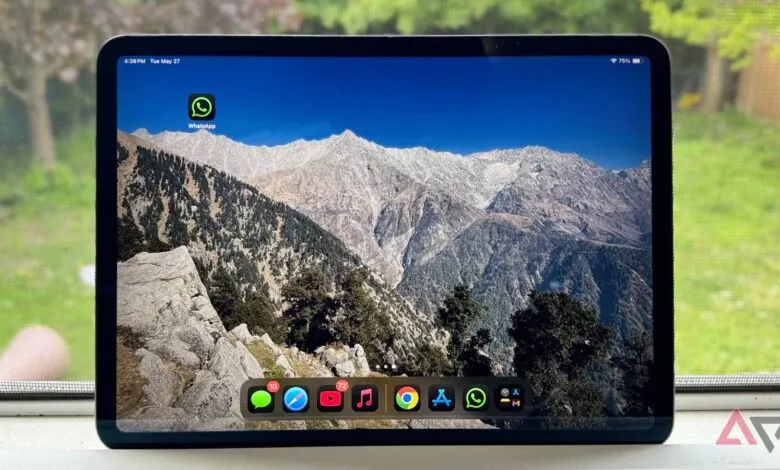
– The iPad Pro has excellent hardware with powerful M-series chips, but its iPadOS software is a limiting factor for productivity.
– Android 16 introduces a superior desktop windowing mode that offers a more intuitive, laptop-like experience with an always-visible taskbar and passive window management.
– Unlike iPadOS’s Stage Manager, which actively and sometimes disruptively manages windows, Android 16 provides greater control and supports multiple virtual desktops.
– A key advantage of Android 16 is its ability to run a full Linux desktop via virtualization, allowing the use of desktop applications, which is not possible on iPadOS.
– Android’s desktop mode is limited by hardware requirements like DP Alt Mode support and app compatibility issues, but it fundamentally redefines the value of a phone or tablet as a workstation.
For many professionals, the promise of a single device that transitions from a mobile phone to a full desktop workstation is becoming a reality, and Android 16’s Desktop Windowing feature is leading this charge. This capability challenges the traditional need for separate tablets and laptops, positioning high-end Android devices as compelling alternatives to Apple’s ecosystem, particularly for users frustrated by the limitations of iPadOS.
The core of this shift is a genuinely flexible desktop interface. When you connect a compatible Android phone or tablet to an external monitor via a USB-C port supporting DisplayPort Alternate Mode, the system launches a distinct desktop session. You are greeted by a persistent taskbar for app management and a familiar launcher. App windows behave as you would expect on a computer, featuring draggable title bars and standard controls for minimizing, maximizing, and closing. You can freely resize these windows and snap them to screen edges, a process that feels more direct and immediate than on an iPad.
This is where Android’s approach notably diverges from Apple’s Stage Manager. While Stage Manager attempts to automatically organize windows to prevent clutter, its active management can feel intrusive, rearranging other windows unpredictably and interrupting workflow. Android employs a passive system. If you drag one window over another, the obscured window stays put until you move it yourself. This grants the user complete control over their screen real estate. Furthermore, Android does not force a choice between this freeform window control and multiple virtual desktops; you get both, enabling superior organization for complex tasks.
A persistent taskbar is another practical advantage. On iPadOS, the Dock disappears when an app goes full screen, preventing you from having a window cover that bottom area. Android’s taskbar remains visible by default, offering constant access to your apps unless you manually hide it. These may seem like minor details, but in daily use, the reduced friction and increased predictability significantly enhance productivity.
Perhaps the most powerful differentiator is something iPadOS cannot match: native Linux support. Through the Android Virtualization Framework, users can run a full Debian Linux terminal and install desktop applications like GIMP or LibreOffice right alongside their Android apps. This transforms the device into a legitimate development or creative workstation, a level of versatility Apple’s walled garden does not permit.
Of course, the experience is not without its current hurdles. The biggest limitation is hardware fragmentation. The desktop mode requires specific USB-C hardware support (DP Alt Mode), which is not universal across all Android devices. App compatibility is another growing pain. While Android 16 includes compatibility modes to help older apps adjust, resizing windows can sometimes cause visual glitches like overlapping UI elements. Display scaling on certain external monitors can also be imperfect, making text and icons appear too small.
Despite these early-stage issues, the implication for hardware value is profound. For users whose computing needs revolve around web research, office suites, and communication, a high-end Android phone or tablet with robust desktop windowing can eliminate the need for a separate iPad or even a basic laptop. The vision of a single, pocketable device serving all your digital roles is inching closer to mainstream viability, with Android’s open flexibility posing a serious challenge to the curated, but constrained, iPad experience.
(Source: Android Police)