Skylight Calendar 2 Review: The Ultimate Digital Calendar
▼ Summary
– The Skylight Calendar 2 device has multiple functional tabs, but key features like Rewards, Meals, and an AI tool require a paid Plus Plan subscription.
– The Meals and Recipes tabs can integrate to automatically add recipe ingredients to a grocery list, which is useful for centralized meal planning.
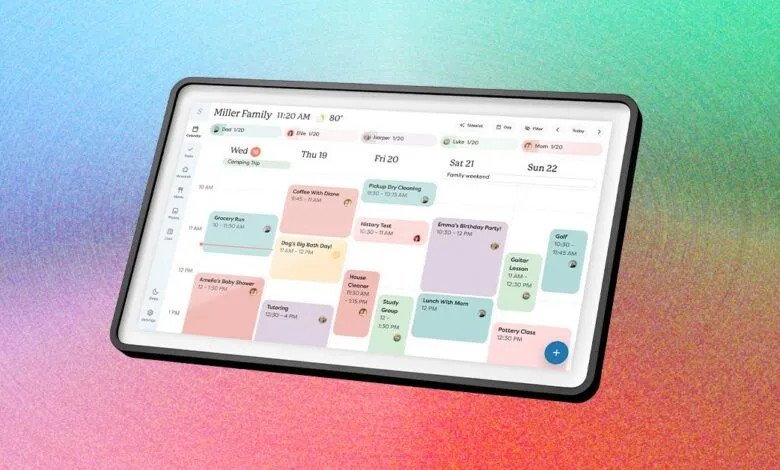
– The device offers a visual and consolidated family calendar view, merging duplicate events and allowing meal assignment, though quick meals aren’t memorized automatically.
– The Tasks page lacks reliable alerts for timed tasks, making it easy to ignore and better suited for building habits than for time-sensitive reminders.
– A significant drawback is the paywall, as even desirable features like the photo screen saver are locked behind the Plus Plan subscription.
The Skylight Calendar 2 presents itself as more than just a digital calendar, functioning as a central hub for family organization. While the calendar view is the default screen, the device offers a suite of additional tabs including Lists, Tasks, Rewards, Meals, Recipes, and Photos. However, unlocking its full potential requires a financial commitment, as several of its most appealing features reside behind a subscription paywall.
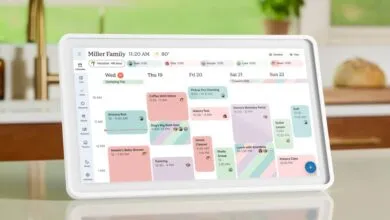
Navigating through the various pages reveals a mixed experience. The Meals and Recipes tabs work in tandem to simplify weekly dinner planning. You can casually type in meal ideas or manually input full recipes. The clever integration automatically suggests adding a recipe’s ingredients to your shared grocery list on the Lists tab. While this prompt appeared every single time during testing, it represents a logical workflow that could streamline shopping if you fully adopt the Skylight as your primary list manager. The visual layout of both the family calendar and the Meals page is intuitive and clear, making it easy to assign dinners to specific days.
Functionality extends to task management, but with notable limitations. The Tasks page allows you to create lists for different family members. A significant drawback is the lack of reliable alerts, even for time-sensitive tasks. You might only discover you’re overdue on an item when you manually open the Tasks tab, making it unsuitable for critical reminders. The linked Rewards system, which lets families set star-based incentives for completed chores, is a thoughtful feature for motivating children, but it is also part of the paid subscription.
The device’s versatility is one of its strengths. You can manage everything directly on the Calendar 2 screen or via the companion smartphone app, which mirrors all the same pages. A nice touch for shared calendars is that duplicate events from different family members are displayed only once, with combined color coding to indicate it’s a joint commitment. However, the device doesn’t memorize quick, one-off meal entries; you must save them as formal recipes or set them as repeating items to avoid retyping.
The primary point of contention is the mandatory Plus Plan subscription, priced at $79 annually or $8 monthly. This paywall blocks access to Rewards, Meals, and an AI tool called Sidekick. Perhaps most frustratingly, it also locks the photo screensaver feature. This transforms the device from a pure organizer into a multi-use family display, showing a slideshow of memories when not in active use. While the 15-inch frame’s orientation isn’t ideal for every photo, having this option significantly boosts the product’s value as a versatile home screen. Without the subscription, you lose this key benefit and several core organizational tools, which feels restrictive for a hardware device already purchased.
(Source: Wired)