Spotify Now Shows Friends’ Listening Activity on Mobile
▼ Summary
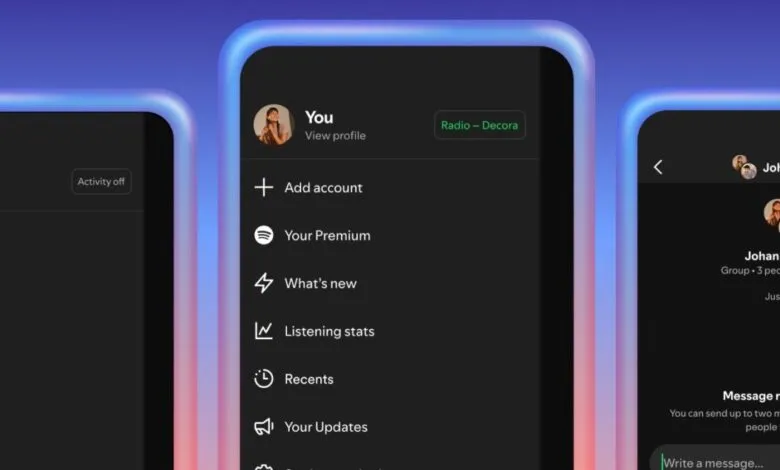
– Spotify is officially launching its “Listening Activity” feature on its mobile app, allowing users to see what their friends are playing.
– The feature is opt-in and can be customized in privacy settings to share activity with only selected friends.
– In the mobile app, listening activity appears in the sidebar, and users can tap songs to add them to their library or react with emojis.
– A new “Request to Jam” feature lets Premium users sync listening sessions with friends, allowing both to queue songs and chat.
– Both features are rolling out now on iOS and Android but will be broadly available in early February.
For years, the ability to discreetly see what your friends were playing on Spotify was largely confined to the desktop version of the app. That’s finally changing, as the popular music streaming service is officially launching its Listening Activity feature on mobile devices. This move brings a long-requested social element directly to your smartphone, allowing you to discover new music through your friends’ habits more easily than ever before.
Importantly, this is a privacy-conscious feature. Listening Activity is opt-in, meaning it’s turned off by default. You have to actively choose to share your musical journey. To enable it, you’ll need to navigate into your privacy settings within the mobile app. The control doesn’t stop there; you can even select specific friends to share with. This granularity is perfect for maintaining connections without broadcasting every nostalgic or guilty pleasure listen, like those children’s music playlists that become a staple after having kids.
Once activated, you’ll find your friends’ real-time listening updates in the sidebar of the mobile app, integrated alongside your existing chats. If a track catches your ear, a simple tap lets you add the song directly to your own library. You can also send a quick emoji reaction to let them know you approve of their choice, adding a layer of instant, lightweight interaction.
This update isn’t just about passive observation. Spotify is also introducing a new collaborative tool called Request to Jam. Premium subscribers can tap a Jam button within a chat to send an invitation. If the recipient accepts, your music listening becomes remotely synchronized. Both participants can then add songs to a shared queue and chat about the tunes in real time. The platform will even generate song recommendations based on your combined listening histories. Free users can participate in a Jam if they receive an invitation, but they do not have the ability to start one themselves.
These new features are currently in the process of rolling out globally on both iOS and Android, but only in regions where Spotify’s messaging functionality is already available. The company indicates it is taking a measured approach to this launch, with a broader availability target set for early February.
(Source: The Verge)