F-Secure Internet Security Blocks Phishing, Fake Stores & SMS Scams
▼ Summary
– F-Secure Internet Security provides malware, scam, and browsing protection, and supports Windows, macOS, Android, and iOS under one subscription.
– The Android app setup includes enabling Device Protection, VPN, Scam Protection, and ID Monitoring, followed by an initial device scan.
– Scam Protection monitors for phishing, fraudulent websites, and SMS scams, while Browsing and Banking Protection block unsafe sites and secure online sessions.
– The Android app uses Accessibility Services permissions with user consent to check website safety in Chrome.
– VPN features include traffic bypass for selected apps and a Killswitch, while ID Monitoring alerts users if personal data appears in known breaches.
F-Secure Internet Security delivers a comprehensive suite of tools designed to defend against viruses, ransomware, spyware, and malicious email attachments. The platform’s core mission is to safeguard devices and online behavior through malware protection, scam prevention, and secure browsing capabilities. A single subscription extends coverage across Windows, macOS, Android, and iOS devices.
After installing the Android app from the Play Store, I quickly created an account and began the setup. The process required enabling several key modules: Device Protection, VPN, Scam Protection, and ID Monitoring. Once activated, the application performed an initial scan of my phone.
Scam and Browsing Protection
Device Protection scans content in real time to detect malware, spyware, ransomware, and other digital threats.
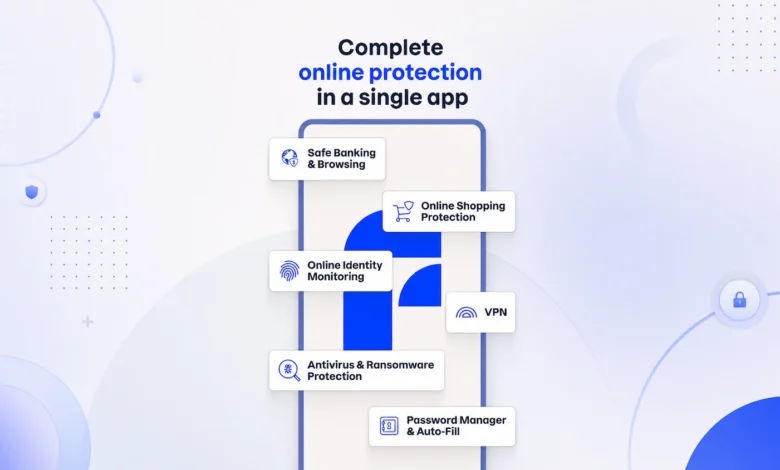
Scam Protection targets phishing attacks, fraudulent websites, and SMS-based scams. This feature continuously monitors browsing activity to steer users away from suspicious content. It can identify unsafe websites and fake online stores, block SMS scams, and leverage the Scam Scanner to analyze screenshots of questionable messages or sites.
Browsing Protection prevents access to phishing websites. Banking Protection secures online banking sessions. Shopping Protection flags potentially fraudulent e-commerce sites.
The Android app uses Accessibility Services permissions to power its Chrome Protection features. These permissions allow the app to read website addresses in Chrome and conduct safety checks on visited pages. Users grant this permission during setup with explicit consent.
For online banking and shopping, the app adds an extra layer of security by verifying website safety during payment and login sessions. These controls help users steer clear of phishing pages and fake online stores that could steal credentials or financial data.
VPN and Privacy Features
The app includes a VPN with traffic management controls. VPN Bypass lets users select specific apps that connect directly to the internet without routing through the VPN tunnel. A Killswitch feature cuts off all internet access if the VPN connection drops, preventing data leaks.
ID Monitoring tracks whether personal information appears in known data breaches. It sends alerts when monitored data is exposed. Users can register email addresses and receive notifications if their information shows up in leaked datasets.
Final Thoughts
F-Secure Internet Security’s setup is simple and its protective features run silently in the background after activation. For users seeking mobile protection against phishing attempts, SMS scams, and everyday online risks, this app bundles a wide range of security tools into one convenient package.
(Source: Help Net Security)