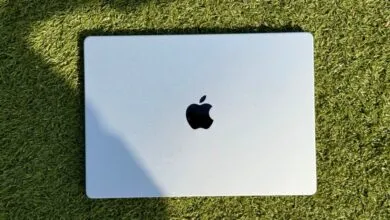
How This MacBook Privacy Screen Transformed My Public Workflow

▼ Summary
– The author feels uncomfortable with the lack of privacy on their laptop screen in public places like planes and coffee shops.
– They avoided privacy screens due to concerns about adhesives damaging their MacBook Pro’s display.
– A magnetic privacy screen, like the Targus 4Vu, attaches without adhesives and can be easily removed.
– The screen reduces viewing angles by 30 degrees on each side, dimming content for neighbors while remaining clear to the user.
– The author found the screen subtle to use straight-on and easy to store, making it suitable for long-term use.
I can never sleep on planes. That makes me one of those travelers who inevitably pulls out a laptop mid-flight to get some work done. But beyond battling for elbow room on the armrest, I’ve always wrestled with an uncomfortable feeling: the lack of privacy on my laptop screen.
I try to convince myself nobody is watching and that nobody cares about the possibly embargoed information glowing on my display. But I also know that I’m guilty of glancing at a stranger’s bright screen next to me on a plane. The same anxiety creeps in when I’m typing away at a busy coffee shop or any other public space.
I’ve known for years that I should try a privacy screen for my laptop. I finally did, and I now consider it one of the best MacBook accessories you can buy.
No Assembly Required
Privacy screens have existed for decades, but I never thought they were for me. I hated the idea of permanently (or even semi-permanently) altering my laptop’s display with adhesives. The last thing I wanted was to pay for a MacBook Pro’s brilliant Mini-LED screen only to dull it by gluing a sheet of plastic over it. Plus, a privacy screen isn’t something I need all the time. Sometimes I actually want to see my screen from an angle.
Then I discovered a magnetic option, and that changed everything. Unlike the adhesive kind (which work like a standard screen protector), this one required no glue at all. In theory, that meant it would be easy to pop on and off. Once I tried it, I was completely sold.
The internet is full of different versions, and they all function essentially the same way. The one I tested was the Targus 4Vu Magnetic Privacy Screen for my MacBook Pro. You need to get the exact size for your device, and you really want to make sure it’s magnetic. Because the MacBook Pro already has built-in magnets at the top and bottom of the screen to help with lid closure, this solution works especially well. Just be careful: Some screens labeled “magnetic” still require sticking small adhesive strips to your laptop’s bezels.
Once it’s on, it works like magic. You’ve likely seen these in the wild on phones, laptops, or monitors, often in hospitals or banks.
The concept is simple. The technology drastically reduces viewing angles, usually by about 30 degrees on each side. So if someone sits to your immediate left or right, the content on your screen dims. This particular privacy screen doesn’t make things completely invisible , that depends on your brightness settings. On a MacBook Pro at 50 percent brightness or higher, the side view looks like the brightness is turned all the way down. If you want your content fully blacked out for nearby onlookers, you need to drop the brightness to 25 percent or lower.
In the Real World
I didn’t have a flight coming up, but I started bringing this screen to coffee shops. While someone sitting directly behind me could still see my display, I found a new sense of freedom while working in public with the screen on. One early concern was storage. Accidentally bending the screen in my bag would ruin the experience. Fortunately, Targus includes a thin folder for safe keeping.
The biggest surprise was how subtle the effect felt when viewing it straight on. Right after I slipped it on, I noticed a slightly dimmed effect. But after a couple of minutes, I completely forgot it was there. As it turns out, this is something I wouldn’t mind leaving on my MacBook Pro long term.
(Source: Wired)