Steam Just Made Your Stadia Controller Worth Keeping
▼ Summary
– The Google Stadia controller must be converted via Google’s official website by December 31, 2025, to save it from obsolescence.
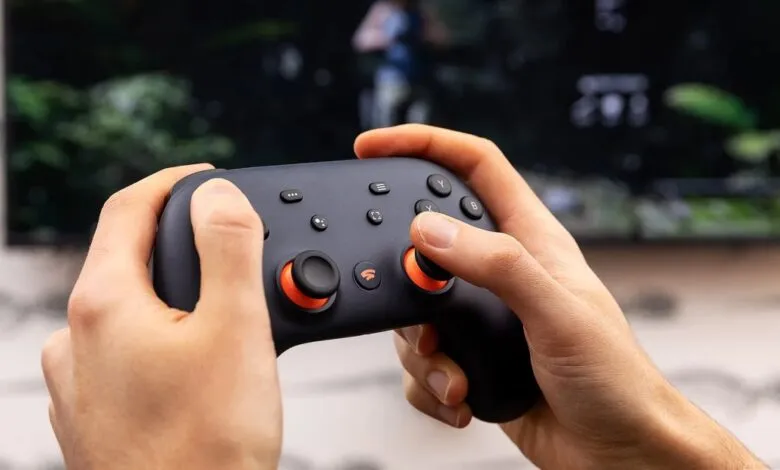
– The controller, originally for cloud gaming, was made into a generic Bluetooth gamepad after Stadia’s shutdown, allowing it to be repurposed.
– Steam and SteamOS now offer full, customizable support for the Stadia controller, with all buttons, including the Google Assistant key, being programmable.
– While a capable secondary gamepad with good build quality, it lacks features like gyro controls, back buttons, and functional headphone jack audio in Bluetooth mode.
– The conversion process is simple and involves a computer and browser, but the controller cannot store pairings for multiple devices simultaneously.
Time is running out to unlock the full potential of your Google Stadia controller, but a major development has made the effort more worthwhile than ever. With a hard deadline of December 31st, 2025, to convert the hardware into a standard Bluetooth device, users now have a powerful new reason to complete the process: full, native support within Steam and SteamOS. This integration transforms what was a cloud-gaming peripheral into a versatile PC gaming accessory.
Originally built to connect directly to Wi-Fi for streaming games from Google’s servers, the controller faced obsolescence when Stadia shut down. Google’s shutdown process, however, was notably consumer-friendly, offering refunds and providing a firmware tool to convert the controller to a generic Bluetooth gamepad. For a long time, its functionality on platforms like Steam was basic at best. Recent updates have changed that completely.
Now, the Stadia controller is treated as a first-class device in the Steam environment. Every button is fully customizable within Steam Input. The dedicated Google Assistant key becomes a programmable macro button, while the screenshot button natively captures screenshots in SteamOS. Perhaps most importantly, the central Stadia button now functions similarly to an Xbox guide button, granting access to a suite of handy shortcuts. Combinations like Stadia+A to open the quick access menu, Stadia+Right Stick to control a mouse cursor, and Stadia+Left Stick to adjust volume or brightness make it highly functional on a Steam Deck. On a desktop PC, pressing the Stadia button can launch Steam’s Big Picture Mode.
It’s important to temper expectations, as this isn’t the ultimate gamepad. It lacks features like gyro controls or rear paddle buttons. Some promised functions, like the ability to wake a sleeping Steam Deck from the Bluetooth menu, don’t seem to work reliably. The controller also doesn’t power down automatically when the Deck sleeps, requiring a manual hold of the power button. Furthermore, the 3.5mm headphone jack remains non-functional in Bluetooth mode, as Google indicated it would be when announcing the conversion tool.
Despite these limitations, for anyone who already owns the hardware, possibly acquired for very little cost, it becomes an excellent secondary controller and a capable primary option for many games. It boasts a precise and tactile D-pad, smooth analog sticks and triggers, and responsive face buttons.
The conversion process itself remains straightforward until the year-end cutoff. Users simply need to connect the controller to a computer via USB, visit Google’s official update page, and follow the brief instructions. After the update, putting the controller into pairing mode is as easy as holding the Stadia and Y buttons, though it can only maintain a pairing with one device at a time.
While there’s always a chance Google could extend the firmware update deadline, as they have in the past, it’s a risk not worth taking. If you have one of these controllers in a drawer, or spot one at a thrift store, the enhanced Steam support makes now the perfect time to give it a new lease on life.
(Source: The Verge)