Why Google Chromebooks Are So Affordable

▼ Summary
– Chromebooks use ChromeOS, which relies on cloud-based applications and requires logging into a Google account to access content stored on Google’s servers.
– They enable seamless work continuity, allowing users to start on one device and resume on another with all changes synchronized across devices.
– Chromebooks have limited processing power and RAM, making them unsuitable for demanding tasks like multitasking or heavy gaming.
– Storage is minimal and primarily for essential apps, as most files are not stored locally, and hardware upgrades are difficult or impossible.
– The design enhances security and reduces distractions, but heavy users may need to purchase additional Google Drive storage for their files.
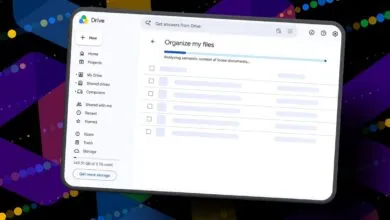
The affordability of Google Chromebooks stems directly from their unique design philosophy, which prioritizes cloud computing over traditional hardware. These devices operate on ChromeOS, a lightweight operating system that fundamentally changes how we interact with our data. Instead of relying on large, expensive internal storage drives, Chromebooks are built to work seamlessly with Google’s cloud services. Your documents, photos, and other files primarily live on remote servers, accessible whenever you sign into your Google account.
This cloud-centric model offers a significant advantage in continuity. You can start a project on one Chromebook and seamlessly continue your work on any other device, with all your latest changes automatically synchronized. The trade-off for this convenience and lower cost becomes apparent in the hardware specifications. To keep prices down, manufacturers typically equip Chromebooks with less powerful processors and a modest amount of RAM. This configuration is not intended for demanding tasks like high-end video editing, intensive multitasking, or running the latest PC games.
The built-in storage is intentionally minimal, providing just enough space for the operating system and a handful of essential applications. Many Chromebooks are not designed for significant local file storage, and their hardware is often not user-upgradeable, making it difficult or impossible to add more RAM or a larger SSD. This very limitation, however, contributes to enhanced security and simplicity. In educational environments, for instance, it helps prevent software conflicts and minimizes distractions, as students cannot install a multitude of unauthorized apps and games. For users with substantial storage needs, the solution is an investment in additional Google Drive space, keeping the initial device cost exceptionally low while accommodating future requirements.
(Source: BGR)