Gemini risks repeating Copilot’s mistakes
▼ Summary
– Google is increasingly integrating its Gemini AI assistant into many of its apps, causing user frustration with its persistent and intrusive presence.
– The author, a regular Gemini user, finds the tool useful for tasks like coding and search but reached a limit with an intrusive Gemini toolbar in Google Docs.
– Google’s aggressive AI push mirrors Microsoft’s unpopular strategy of saturating Windows 11 with Copilot shortcuts.
– The article notes that AI integration threatens the developer community through job displacement, as companies lay off engineers in favor of AI coding tools.
– The author argues that constantly pushing unwanted AI features creates a bad user experience, as users prefer to control when they use such tools.
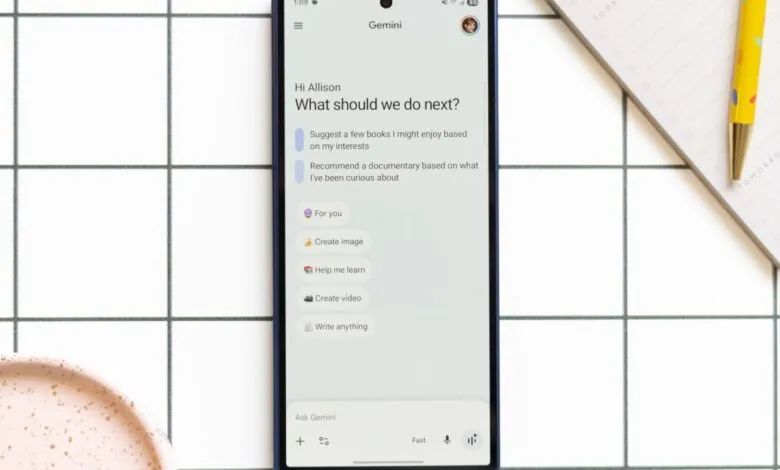
If you’ve opened a Google app lately, you’ve probably noticed a small sparkle icon creeping into your peripheral vision. It’s in Gmail. It’s in Google Drive. It’s even in Docs. What started as a subtle addition has become an increasingly aggressive push to embed Gemini into every corner of your digital workspace. And for many users, it’s starting to feel less like helpful innovation and more like an unwelcome intrusion.
This isn’t a new phenomenon. Anyone who has used Windows 11 knows the feeling all too well. Microsoft went all-in with Copilot, plastering its shortcuts across every surface of the operating system, much to the frustration of its user base. Now, as Google I/O 2025 kicks off this week, the company is poised to announce even more Gemini integrations. The question is whether Google has paid attention to the backlash Microsoft faced, or if it’s about to repeat the same mistakes. The answer will matter to millions of Workspace users who just want their tools to stay out of the way.
I’ll admit, I’m not anti-AI. I’ve actually found Gemini genuinely useful. I used it to build a quick app that helps me decide which chores I have time for on a given day. I test it on every Android phone I review, and I’ve even downloaded it on my iPhone. That probably puts me in the top tier of non-Google employees who actually use the thing. I’ve even come around to the AI overviews that now sit atop Google Search results. Yes, there were early stumbles , remember the glue-on-pizza recommendations? And yes, they’re probably accelerating the decline of the open web. But for low-stakes queries, like how often to water my lavender or how long to bake potato wedges at 400 degrees, they’ve been reliable enough. My lavender is still alive. My potatoes are cooked through.
But everyone has a breaking point. Mine came when I noticed a persistent sparkle icon at the bottom of my Google Docs window. Hover over it, and a full toolbar appears, offering suggested prompts to let Gemini write for you. Blogging is my craft, and I don’t need an AI ghostwriter. I shut it down immediately. Now, every Gemini icon I’d previously learned to ignore feels like a personal affront. Somehow, a shortcut even appeared in my MacBook’s menu bar , a tiny sparkle staring at me all day. I don’t remember giving permission. It’s starting to feel a bit like The Sixth Sense. They’re everywhere.
If this week’s Google I/O keynote is any guide, we’re about to hear the word “Gemini” a lot more. But the creep factor isn’t just about annoyance. There’s a deeper tension here. AI tools are being positioned as the future of productivity, even as tech companies lay off software engineers, arguing that fewer humans are needed as coding assistants improve. It’s a hard sell to ask developers , the very audience Google is speaking to at I/O , to get excited about Gemini writing cover letters for jobs that AI is helping to eliminate.
All of this ignores the broader context. Companies like Google are pushing to build massive data centers across the country, facing local opposition and environmental scrutiny. But even setting that aside, the core problem is simple: bad user experience. Constantly badgering people to adopt tools they don’t want is the kind of behavior you expect from a social media app, not from a productivity suite you rely on for work. I don’t want to “ask Gmail” when I open my inbox. I want to type three keywords and find the email I need. I don’t want to chat with Gemini about my Chrome tabs. I don’t want to “learn the highs and lows” of a folder in my Google Drive. I want AI tools when I find them useful , and otherwise, I just want them out of my face. I don’t think I’m alone.
(Source: The Verge)