Gmail’s AI Tool Completes Hours of Work in 10 Minutes
▼ Summary
– Gmail’s search bar can function as an AI command center, allowing users to input complex prompts directly to manage email tasks.
– The author used this AI feature to quickly compile the status of five vendors from months of email correspondence, saving hours of manual work.
– The AI successfully identified contacts at a specific company and provided the dates of their most recent communications when prompted.
– It also drafted a follow-up email by finding a previous message and adapting it for new recipients based on a user prompt.
– This AI integration transformed a tedious, multi-threaded project review into a rapid workflow that was completed in about ten minutes.
Two decades after its surprising debut, Gmail’s latest AI features are transforming the platform from a simple email client into a powerful productivity engine. While many of Google’s previous AI integrations have felt like superficial add-ons, a recent experiment revealed a genuinely transformative capability. By using the search bar as an AI command center, a complex project that would normally consume hours was completed in roughly ten minutes. This shift moves Gmail beyond basic message retrieval into actively managing workflows and synthesizing information from across your inbox.
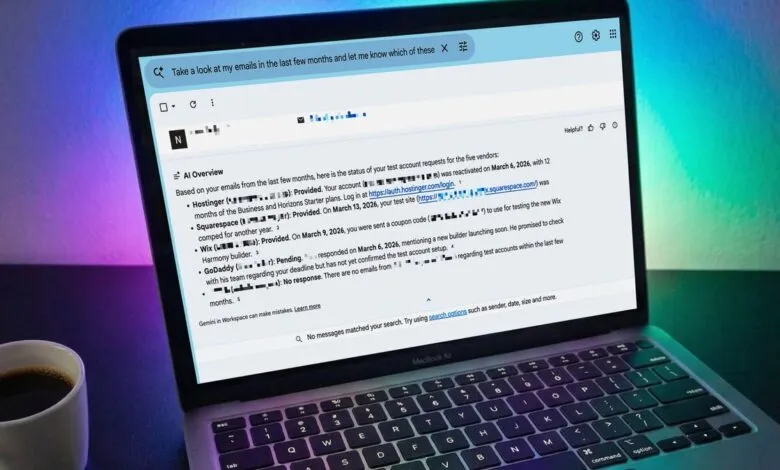
The experiment began with a familiar editorial task: updating a major review article. The original project involved extensive correspondence with five different companies over the past year, resulting in a tangled web of email threads. The traditional method of manually sifting through each conversation to check on account statuses and follow-ups is a tedious, time-consuming process. Faced with this chore, a simple yet ambitious prompt was entered directly into Gmail’s main search field. The request asked the AI to analyze months of emails and provide a status update for each of the five specific vendors, including which had provided test accounts and which had not.
The result was immediate and comprehensive. Instead of a list of search results, Gmail’s AI generated a clear, concise overview. It correctly identified the status for each company, noting which logins and coupon codes had been received and pinpointing the one vendor that had not responded. This single output consolidated information that would have required opening and scanning dozens of individual emails. For one unresponsive company, a follow-up prompt asked the AI to list all known contacts and the dates of their most recent correspondence. Within seconds, it produced a complete list, effectively mapping the relationship history without any manual digging.
The process was taken a step further by asking the AI to draft a follow-up message. Based on the most recent email sent to the primary contact, it prepared a tailored draft to send to other contacts at the same company, referencing the original date and politely urging a response. After a quick edit for tone, the message was ready to send. This sequence,from status aggregation to contact identification to draft generation,demonstrates a cohesive workflow automation that feels like a genuine leap forward.
This approach proves that Gmail’s embedded AI can excel at specific, high-value tasks. It is particularly effective for project management scenarios that involve tracking multiple email threads, summarizing correspondence, and preparing follow-up communications. The key is to provide clear, detailed prompts that give the AI sufficient context, such as specific names, timeframes, and desired outcomes. While it may not be suitable for crafting personal daily emails, its ability to parse and synthesize information from a cluttered inbox is remarkably powerful.
The implications are significant for anyone who manages projects or communications through email. This functionality turns Gmail into an intelligent assistant for administrative tasks, freeing up mental energy and clock time for more substantive work. As AI tools become more deeply integrated into the applications we use every day, learning to leverage them for these targeted efficiencies will become an essential skill. The future of email management is not just about storing messages, but about commanding them to organize themselves.
(Source: ZDNet)