Latest Google Play Update Causing Pixel Glitches
▼ Summary
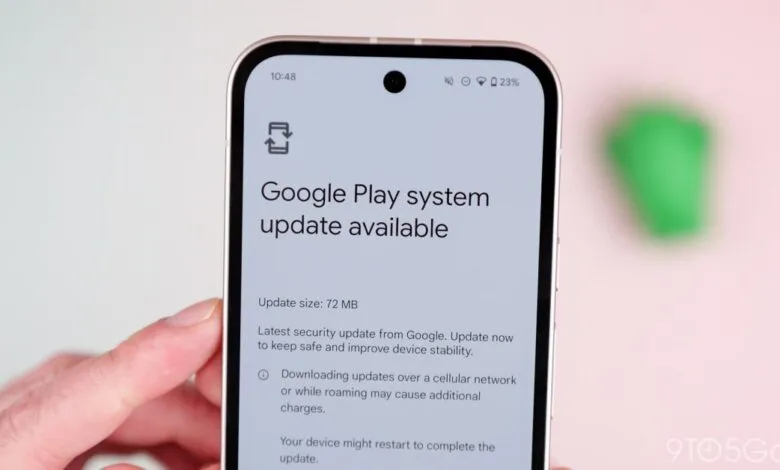
– A Google Play system update is rolling out to Pixel devices, but the installation process is experiencing some bugs.
– The update is a 15 MB security patch with a generic description to improve safety and stability, but it does not advance the version from November 1, 2025.
– On a Pixel 10 Pro, the screen remained black after the required restart, though haptic feedback was present, and functionality was restored by plugging in the device or forcing a reboot.
– On a standard Pixel 10, the launcher failed to load after the update, leaving only the wallpaper visible until a manual reboot resolved the issue.
– Other devices like the Pixel 10 Pro Fold and Pixel 9 series experienced slightly longer reboot times but no major problems, with all affected phones returning to normal operation afterward.
A recent Google Play system update is causing unexpected glitches for some Pixel smartphone owners. This minor 15 MB patch, described as the “Latest security update from Google,” is intended to enhance device safety and stability. However, the installation process has proven problematic on several models, leading to temporary screen freezes and interface failures. The update began its widespread rollout recently, and most affected users were previously on a “November 1, 2025” Google Play system version, as there was no subsequent December release. Notably, installing this new update does not change that version number; devices remain listed on the November release.
On the Pixel 10 Pro, a particularly concerning issue emerged. After installing the update and performing the required restart, the device’s screen stayed completely black once the boot sequence finished. The boot process itself seemed to take longer than normal. Interestingly, the phone was not entirely frozen, as it provided haptic feedback when the power button was long-pressed. The problem was resolved by simply plugging the device into a power source. Alternatively, a forced restart would have worked: if a phone is frozen with the screen on, holding the power button for roughly 30 seconds will trigger a reboot.
The experience varied across other models. With a standard Pixel 10, the device unlocked normally with a passcode, but the Pixel Launcher failed to load completely. This left the user staring at just the wallpaper, with no status bar, app drawer, or navigation controls. Access to the power menu via a long-press on the power button was still possible, allowing for a manual reboot that cleared up the issue. On devices like the Pixel 10 Pro Fold and older Pixel 9 series phones, the only noticeable symptom was a reboot that felt slightly slower than usual, with no other obvious malfunctions.
The glitches appear to be temporary and confined to the initial reboot process. For all devices that experienced these hangs or interface problems, performance returned to normal after that first troublesome restart. The core functionality of the phones was not permanently impacted. Users encountering these issues can typically resolve them with a simple forced restart or by connecting their phone to a charger.
(Source: 9to5 Google)