How to fully control Pixel 11 Pro’s HiLight feature [Gallery]

▼ Summary
– A developer named @Dhananjay_Tech created “HiLight Studio,” an app that gives full control over the Pixel 11 Pro’s RGB light, bypassing Google’s restriction on third-party access.
– The app enables features Google doesn’t support, such as per-app notification LEDs with custom patterns and colors, preset sharing, and always-on light mode.
– Setup is complex, requiring sideloading the app from GitHub and using Shizuku and ADB from a computer, plus reactivation after every phone reboot.
– Google originally limited HiLight to call notifications and a status light for Gemini, which the app expands significantly.
– The workaround raises hope that Google might natively support such features in the future, though the sideloading and advanced permissions carry installation risks.
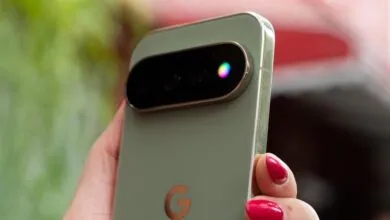
Google’s Pixel 11 Pro ships with a headline hardware feature called “HiLight,” a rear RGB lighting strip that promises a lot of visual flair. Yet, from day one, the company locked it down, restricting the light to a narrow set of functions. That limitation hasn’t stopped the Android community, though. A developer has already cracked the code, unlocking the full potential of the Pixel 11 Pro’s light in ways Google never intended.
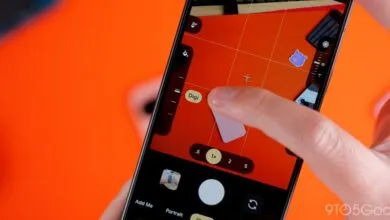
The breakthrough comes courtesy of @Dhananjay_Tech, as highlighted by David Imel of The Verge. Despite Google’s explicit stance that third-party developers wouldn’t get access to the hardware, a new app called HiLight Studio now hands users complete command over the LED strip. While Google’s official support limits the light to incoming call alerts and a status indicator for Gemini, this third-party solution transforms the hardware into a fully functional notification LED. Users can assign distinct patterns and custom colors to individual apps, with granular per-app controls that go far beyond a simple toggle. The app even allows for building and exporting presets, making it easy to share custom lighting profiles with other Pixel owners. For those who want it, the light can simply stay on indefinitely.
This is, in many ways, exactly the kind of flexibility enthusiasts were hoping for from the hardware. The catch, however, is that getting there is anything but simple. The setup process is genuinely demanding. It requires sideloading the APK from GitHub, then leveraging Shizuku and ADB commands from a computer to complete the installation. Even after everything is configured, the app demands reactivation every time the phone reboots. Google certainly didn’t make it easy to take control of “HiLight,” which comes as little surprise given their locked-down approach.
Seeing a workaround emerge on day one is impressive, and it fuels speculation that Google might eventually build these capabilities directly into the software. For now, though, this is a sideloaded solution running on advanced permissions, so anyone interested should proceed with caution and install at their own risk.
(Source: 9to5google.com)