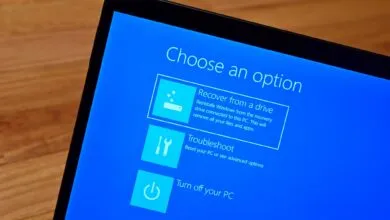
Windows Update adds new controls to curb forced restarts
▼ Summary
– Microsoft is rolling out Windows Update improvements to Windows Insiders, focusing on reducing disruption from untimely updates and giving users more control over installation.
– Users can now skip updates during the out-of-box experience (OOBE) to access the desktop faster, except on managed commercial devices.
– The update pause feature now lets users select a specific date to pause updates for up to 35 days via a calendar flyout, with no fixed limit on extensions.
– The Power menu now separates standard “Restart” and “Shut down” options from update-related actions, so updates are not triggered during shutdown or restart.
– Microsoft is consolidating driver, .NET, and firmware updates into a single monthly restart and will display the device type in update titles for clarity.
Microsoft is introducing a fresh wave of Windows Update enhancements designed to put users back in the driver’s seat when it comes to system updates, aiming to cut down on the annoyance of unexpected or forced restarts.
These changes are currently being released to Windows Insiders, a direct response to widespread user complaints. According to Microsoft, the primary frustrations revolved around updates interrupting work and a general lack of user authority over when those updates actually happen.
“We are continually reading the feedback submitted about the Windows update experience. Personally, I’ve had the opportunity to read over 7,621 direct verbatims over the last few months,” says Microsoft’s Aria Hanson. “Across this feedback there are two key themes that persistently pop out: disruption caused by untimely updates and not enough control over when updates happen. The changes we’re rolling out today are focused on giving Windows users more control over their PC experience, while keeping devices secure by design and by default.”
One of the first adjustments Microsoft made was allowing users to skip updates during the out-of-box experience (OOBE). This means you can now get to your desktop faster and choose a more convenient time to install those initial updates, a feature not available on managed commercial devices.
The update pause functionality is getting a significant overhaul. Instead of a fixed pause period, users can now select a specific date to pause updates for up to 35 days using a new flyout calendar interface. This pause can be extended repeatedly, with no hard limit on how long you can delay the installation.
A common pain point is being addressed with changes to the Power menu. The standard “Restart” and “Shut down” options will now be separated from update-related actions. This means you can shut down or restart your PC without triggering updates, while “Update and restart” and “Update and shut down” remain available when updates are ready.
Microsoft is also improving transparency around what is being installed. Driver updates, which often appear under the same company name without clear context, will now include the device type,such as display, audio, or battery,directly in the update title. This helps users understand exactly what is being updated.
To further reduce disruption, Microsoft is consolidating different update types into a single monthly restart. Driver, . NET, and firmware updates will now be bundled with the monthly cumulative updates, significantly cutting down on the number of required reboots.
“Updates will download in the background, then will wait for a coordinated installation and restart. This installation and restart will align with the next Windows quality update or other update that you manually approve,” explains Hanson. “Users can always acquire all or specific updates earlier if desired by initiating download, install, restart (if applicable) for available updates.”
These features are initially rolling out to Windows Insiders in the Dev and Experimental channels, with a broader release to all users planned for the future.
(Source: BleepingComputer)