Windows 11 Update Fixes Slow Storage, Removes FAT32 Limit
▼ Summary
– Microsoft has released Windows 11 Insider builds with improved performance for navigating storage settings, particularly when opening disk properties on large drives.
– The update changes how the Storage page handles permissions, so the User Account Control (UAC) prompt only appears when accessing temporary files, not immediately upon opening.
– Windows now allows formatting FAT32 drives up to 2TB via the command line, removing a long-standing artificial 32GB limit.
– The performance fix addresses a specific slowdown that occurred when querying data from large or multiple drives, which previously caused significant UI delays.
– These storage improvements are currently available in the Dev and Beta Insider channels, with an expected future rollout to all Windows 11 users.
A significant performance improvement for users with large storage drives has arrived in the latest Windows 11 Insider builds. Microsoft has addressed a long-standing frustration where navigating to disk properties in the Settings app could cause delays of 15 seconds or more, particularly on systems with high-capacity mechanical hard drives. This fix, alongside the removal of an artificial formatting limit for the FAT32 file system, marks a meaningful step in refining the Windows 11 user experience.
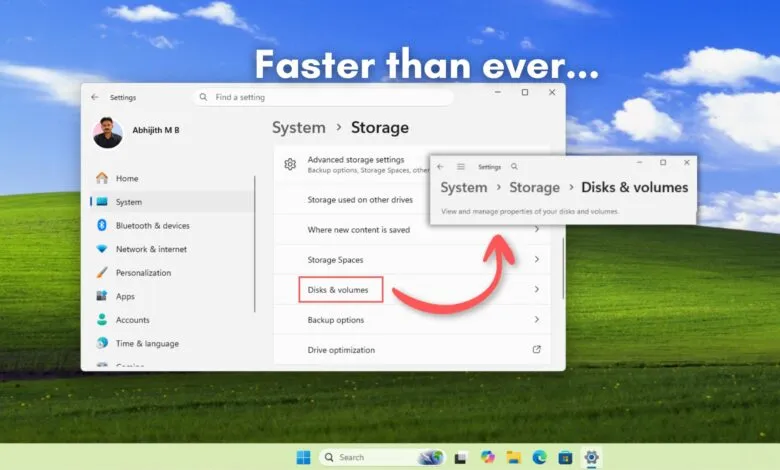
For years, accessing storage details through Settings > System > Storage > Advanced Storage Settings > Disks & Volumes was notoriously sluggish on large volumes. The problem was exacerbated on systems with multiple partitions or several connected drives, as the modern Settings app had to query extensive metadata before rendering the interface. In recent Insider builds, including Dev build 26300.8170 and Beta build 26220.8165, this delay has been virtually eliminated. Testing confirms that opening disk properties is now nearly instantaneous, even in resource-constrained virtual machine environments, indicating a backend optimization in how disk data is fetched and displayed.
Concurrently, Microsoft has lifted a decades-old restriction on the FAT32 file system. While the format has always technically supported volumes up to 2TB, Windows’ built-in tools artificially capped formatting at 32GB. This forced users needing FAT32 for compatibility, such as for motherboard firmware updates or certain media devices, to rely on third-party software. The latest update allows native formatting of FAT32 drives up to 2TB via the command line, removing an unnecessary hurdle while acknowledging the format’s ongoing niche utility, despite its well-known 4GB file size limitation.
Another subtle but welcome change involves User Account Control (UAC) prompts. Previously, merely opening the main Storage settings page could trigger an elevation request. The updated logic is more intelligent, now only presenting the UAC prompt when a user attempts to perform an action that genuinely requires administrative privileges, such as managing temporary files. This refinement makes exploring storage information a smoother, less interrupted process.
These cumulative updates demonstrate a focused effort on polishing core system components. While currently available only to Windows Insiders, such improvements typically roll out to all users within a few months. The tangible fix to a specific performance pain point suggests the development team is capable of executing the deeper system optimizations many users have been requesting.
(Source: WindowsLatest)