2026 Guide: How to Backup Your Digital Life
▼ Summary
– Backblaze’s data shows hard drive longevity varies more by specific model than by the manufacturer’s brand.
– Sticking with major brands like Seagate or Western Digital primarily ensures better customer service for replacements.
– For backups, drive speed is unimportant, and using two different drive types (like an HDD and an SSD) minimizes simultaneous failure risk.
– A backup drive should be two to three times larger than the computer’s drive to accommodate incremental backups.
– Effective backup systems run automatically, like Time Machine for Mac, requiring only initial setup.
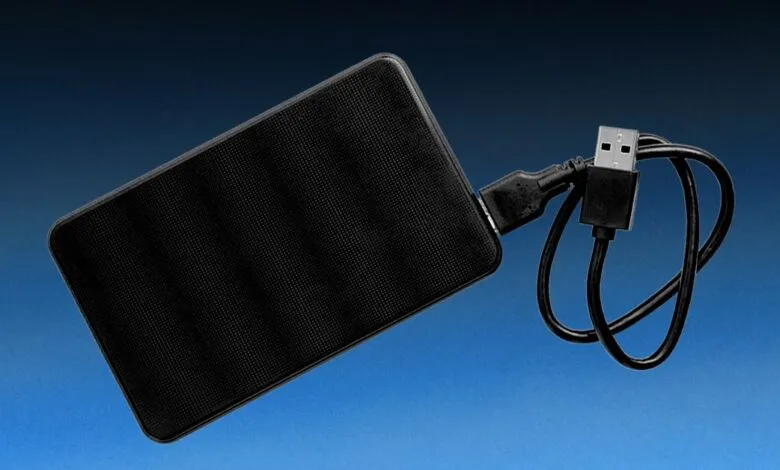
As we move through 2026, safeguarding your personal data is more critical than ever. While cloud services are popular, a local external hard drive backup remains a cornerstone of a robust data protection strategy. Recent statistics from backup provider Backblaze, which manages over an exabyte of data, reveal a key insight: hard drive longevity depends more on the specific model than the brand name. This makes choosing a reliable drive essential.
Despite this variability, opting for established manufacturers like Seagate and Western Digital is still wise. Their primary advantage often lies in superior customer service. Even premium drives can fail unexpectedly, as I experienced with a four-month-old unit from a major brand. The company honored its warranty and replaced the drive promptly, a process that might be less straightforward with lesser-known brands.
Within trusted brands, some models prove more dependable than others. The Western Digital My Passport series, for example, has earned a strong reputation for reliability. The 8TB desktop model offers substantial capacity, while the compact 5TB My Passport Ultra provides excellent portability. For backup purposes, drive speed is rarely a concern. Inexpensive 5,400-rpm drives are perfectly adequate, as backup software operates unobtrusively in the background. To further mitigate risk, consider a dual-drive approach. I maintain two separate backups: one on a traditional spinning hard drive and another on a solid-state drive (SSD). The different technologies make a simultaneous failure highly improbable.
Capacity is another crucial factor. Incremental backups, the standard for modern software, save space by only copying changed files. However, you should still purchase a drive with significantly more space than your computer’s internal storage. A practical guideline is to select a backup drive with two to three times the capacity of your primary drive.
The most effective backup system operates automatically. Manual processes are easily forgotten, creating vulnerabilities. Modern backup automation software handles everything after a one-time setup, ensuring continuous protection without user intervention. For Mac users, Time Machine is the ideal solution. This integrated software simplifies the entire process, creating daily, space-efficient backups to your external drive by only saving altered files. Its seamless operation is a compelling feature of the Apple ecosystem.
(Source: Wired)