iOS 26.2 Public Beta 2 Released: New Features Revealed
▼ Summary
– iOS 26.2 public beta 2 introduces early signs of AirDrop codes, allowing file sharing between unsaved contacts for 30 days.
– The Measure app’s Liquid Glass Level design has been refined to prevent numbers from being obscured in certain situations.
– iPadOS 26.2 enables dragging app icons from the Dock to enter Slide Over or Split View, improving multitasking capabilities.
– Leaked code indicates Apple is developing the ability to replace Siri as the default voice assistant when holding the side button, initially only in Japan.
– The update includes a new Edge Light feature for Mac, creating a virtual ring light using the screen to enhance video call lighting.
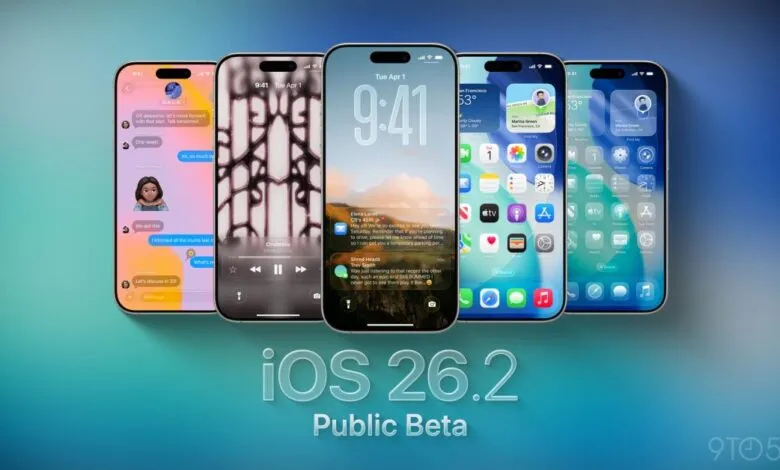
For those eager to explore Apple’s upcoming iPhone software ahead of its official launch, the second public beta of iOS 26.2 is now available, bringing a host of fresh capabilities and refinements. This release provides a detailed look at several anticipated features, giving users a chance to experience them firsthand before the final version arrives.
A notable addition is the introduction of AirDrop codes, which enable file sharing between devices even when contacts aren’t saved. Early traces of this functionality have appeared in the AirDrop section of Settings, signaling Apple’s move toward more flexible sharing options.
Inside the Measure app, the Level tool now showcases a refined Liquid Glass-inspired design. This update improves readability by ensuring numbers remain clearly visible in various lighting conditions, enhancing both accuracy and visual appeal.
iPad multitasking receives a useful upgrade with the return of improved Split View and Slide Over. Starting with iPadOS 26.2, users can drag an app directly from the Dock to activate either mode, streamlining how multiple apps are managed on screen.
Code discovered in the beta suggests Apple is developing a feature that would allow users in Japan to replace Siri as the default voice assistant when holding the side button. This change appears to be driven by local regulatory requirements.
The Games app now includes sorting and filtering options for your library, along with real-time score updates and improved controller navigation. Meanwhile, the Measure app’s redesign extends to the Level interface, incorporating the new Liquid Glass aesthetic.
CarPlay users can now disable pinned conversations in Messages through the CarPlay Settings menu. General interface improvements are also present, with smoother animations when tapping buttons to open menus.
On compatible Macs running macOS 26 Tahoe, a new Edge Light feature uses the display to create a virtual ring light. This is designed to enhance video call lighting by softly illuminating the user’s face.
Sleep tracking is also getting an overhaul. Apple has adjusted Sleep Score categories based on user feedback, replacing “Excellent” with “Very High” as the top rating and fine-tuning the thresholds for each level to offer more precise sleep insights.
AI-powered enhancements are coming to the Apple Podcasts app. With iOS 26.2, the app can automatically generate chapters, link to referenced episodes, and collect relevant show links, all using on-device intelligence.
The Apple News app continues to evolve with iOS 26.2, gaining quick links to popular sections for faster navigation. These refinements build on the broader redesign introduced in earlier versions of iOS 26.
AirPods Live Translation support is scheduled to roll out across European Union countries in December, aligning with the expected public release of iOS 26.2. This feature allows real-time translation directly through AirPods during conversations.
Lock Screen customization is further enriched with a new Liquid Glass slider that adjusts the translucency of the clock. The slider now works with every available font, offering greater personalization.
Finally, the Reminders app gains the ability to trigger a full alarm when an urgent reminder is due. Unlike standard notifications, these alarms can override Focus modes, ensuring critical alerts are never missed.
(Source: 9to5Mac)