Control Any Trainer with Philips Hue Lights
▼ Summary
– A new $3 app called LightMyWatts connects smart trainers, power meters, or heart rate sensors to Philips Hue lights to change the lighting based on workout intensity.
– The setup requires Philips Hue lights with a bridge, a compatible smart trainer or power meter with Bluetooth, and the LightMyWatts app installed on a smartphone, tablet, or computer.
– Compatibility depends on the trainer’s ability to support multiple Bluetooth connections, with many newer models from brands like Wahoo and Elite supporting this, while older Tacx models typically do not.
– The app is easy to set up by pairing with the Hue bridge, grouping lights into a single “room,” and connecting to the trainer while setting personalized power or heart rate zones.
– The system works with any training app like Zwift or TrainerRoad by connecting directly to the trainer, and it features adjustable settings like power smoothing to prevent rapid light fluctuations from power meter noise.
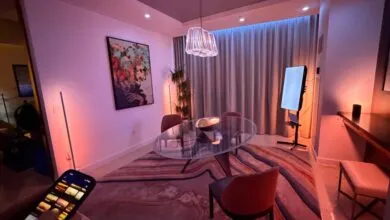
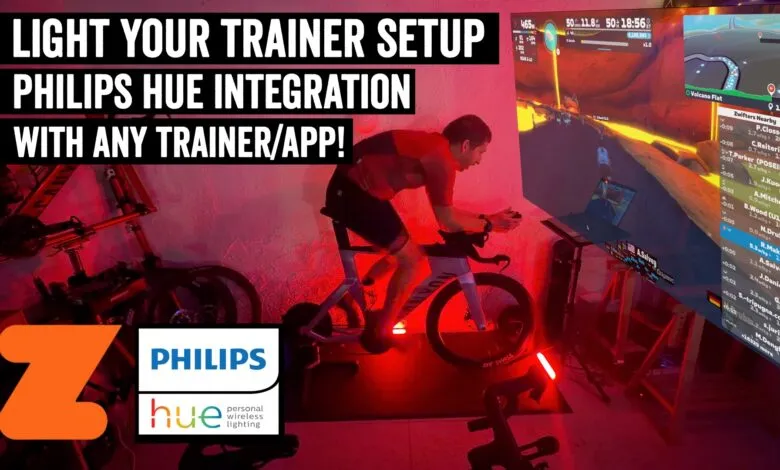
For years, the idea of syncing indoor cycling workouts with smart lighting felt just out of reach. While screen-mirroring solutions existed, they lacked a direct connection to your physical effort. A new, affordable app called LightMyWatts finally bridges that gap, linking your smart trainer or sensors directly to Philips Hue lights to create a dynamic environment that reacts to your power or heart rate in real time. This setup works with virtually any training app, not just Zwift, making it a versatile upgrade to any pain cave.
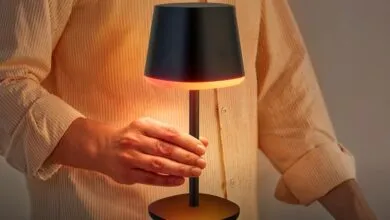
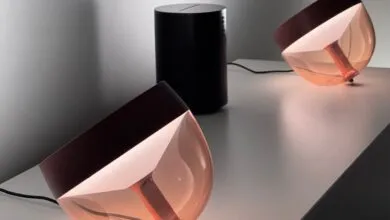
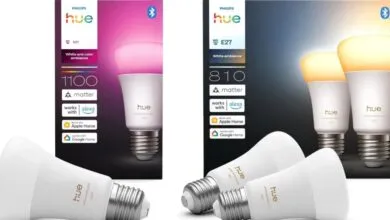
Getting started requires just a few key pieces of gear. You’ll need a Philips Hue lighting system with its bridge, a smart trainer, power meter, or heart rate sensor that broadcasts via Bluetooth, and the LightMyWatts app on a smartphone, tablet, or computer. The app is a one-time purchase of $2.99 with no ongoing subscription.
A crucial point involves your trainer’s connectivity. Most modern smart trainers broadcast power data via Bluetooth, but not all support multiple concurrent Bluetooth connections. This matters because if your training software like Zwift or TrainerRoad is using the Bluetooth channel, the light app cannot. Trainers from brands like Wahoo and newer Elite models typically support multiple channels. However, many older Tacx models (excluding the NEO 3M and Bike Plus) do not. If your trainer is a single-channel device, you have options: use a separate power meter or heart rate strap for the lights, or connect your trainer to your training app via ANT+ instead, freeing up the Bluetooth channel for LightMyWatts.
Setting up the system is remarkably straightforward. After installing the app, the first step is to connect it to your Hue bridge by pressing the physical button on the bridge for authentication. It’s wise to group all the lights around your cycling area into a single “room” within the Hue app, such as “Pain Cave.” LightMyWatts will then control that entire room as one unit.
Next, pair the app with your chosen data source, trainer, power meter, or heart rate monitor. You then input your FTP or maximum heart rate values to establish your intensity zones. The app automatically assigns colors to these zones, which conveniently align with Zwift’s power zone colors by default, though they are fully customizable. A nice touch is that the highest intensity zone also triggers a brighter light output.
Once configured, the app runs quietly in the background on your device. As you begin your workout, it connects almost instantly. The system responds quickly, with the Hue lights changing color roughly 1.5 to 2 seconds after a shift in your power output. This slight delay is actually beneficial, as it prevents the lights from flickering due to normal power meter fluctuations. For an even smoother experience, the app includes a Power Smoothing feature that averages your power data over a selectable period, which is perfect for maintaining steady lighting during threshold efforts or ERG mode workouts.
This approach offers a significant advantage over TV-based solutions. Instead of just mirroring on-screen colors, it creates an ambient atmosphere directly tied to your physiological output. Whether you’re grinding through a tough interval or cruising in an endurance zone, the lighting feedback adds an engaging, immersive layer to indoor training.
Looking forward, it highlights the potential for deeper integrations if platforms like Zwift offered more open APIs. Imagine lights flashing in a countdown before an interval or flickering to match in-game weather effects. While Strava has faced criticism, its historical openness to developers has fostered a rich ecosystem of third-party tools that enhance user engagement, a model others could learn from.
For a minimal one-time cost, LightMyWatts delivers impressive functionality. It’s a simple, effective way to make indoor cycling sessions more interactive and visually engaging, proving that sometimes the best tech innovations are also the most straightforward.
(Source: DC RainMaker)