Is Your Roku in the Wrong HDMI Port? Here’s Why It Matters
▼ Summary
– Not all HDMI ports on a TV are the same, and using the correct one is important for optimal performance with devices like a Roku.
– Different HDMI formats exist, such as HDMI 2.0 which supports 4K at 60Hz with HDR and Audio Return Channel (ARC).
– The newer HDMI 2.1 standard supports higher resolutions and refresh rates, like 4K at 120Hz, along with features like variable refresh rate and eARC.
– For 4K Roku models, a specific port with the right functionality, such as HDCP 2.2 content protection, may be required.
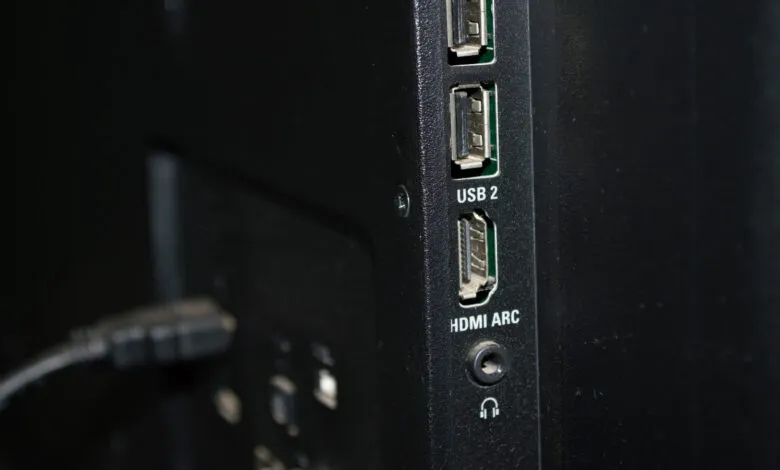
– Most HDMI ports are labeled, so checking these labels is key to ensuring you plug your device into the correct port.
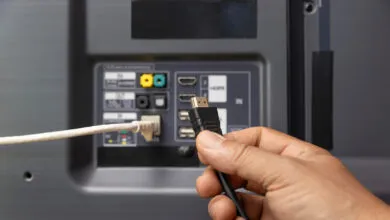
Choosing the right HDMI port for your Roku streaming device is more important than many users realize. While it will technically function in any available slot, plugging it into the wrong port can prevent you from accessing the full capabilities of your Roku and your television. Modern TVs often feature several HDMI inputs, but they are not identical. Each port may support different versions of the HDMI standard, which directly impacts the quality of your viewing experience.
The core issue lies with the specific features required by your Roku model. For instance, if you own a 4K Roku player, it needs to connect to an HDMI port that supports HDCP 2.2, a content protection protocol essential for playing 4K content from most streaming services. Not every HDMI port on your TV will have this capability. Furthermore, the port must support a sufficient HDMI version to handle the bandwidth of high-resolution video and advanced features.
Common standards include HDMI 2.0, which supports 4K resolution at 60 frames per second along with HDR and, on some ports, Audio Return Channel (ARC) for sending sound to a soundbar or receiver. A newer standard, HDMI 2.1, offers even greater performance, enabling 4K at 120Hz or 8K at 60Hz. This version also supports features like Variable Refresh Rate (VRR) and Auto Low Latency Mode (ALLM), which are beneficial for gaming but also enhance general smoothness.
If you simply plug your Roku into the first available HDMI port without checking, you might connect it to an older, slower input. This mistake could result in your device being unable to output 4K HDR video, or it might cause issues with audio formats. The solution is straightforward: examine the labels next to your TV’s HDMI ports. Manufacturers typically denote which ports are compatible with ARC, eARC, or are optimized for specific devices. Consulting your TV’s manual can also clarify which port is best suited for a high-bandwidth media streamer like a Roku. Taking this simple step ensures you get the sharpest picture and richest sound your equipment can deliver.
(Source: BGR)