Microsoft launches Xbox Mode on Windows 11, barely meeting its own deadline

▼ Summary
– Xbox Mode, previously called the Xbox Full Screen Experience, is now rolling out in phases to Windows 11 PCs as of April 30, 2026.
– It provides an immersive gaming experience by launching the Xbox app in full screen and reducing background tasks to free up system memory.
– Users can browse and launch games with a controller, switch between Xbox Mode and the desktop, and access an aggregated library of installed games from multiple storefronts.
– The mode was originally a staple on Windows handhelds like the Xbox Ally, and its expansion to more devices is seen as a positive step for user experience.
– To access Xbox Mode, users must update Windows and enable “Get the latest updates as soon as they are available,” though it is a phased rollout.
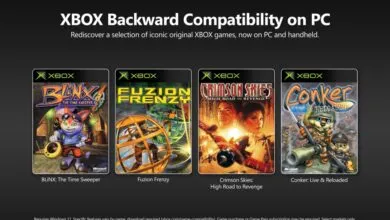
Microsoft has officially launched Xbox Mode for Windows 11, bringing its handheld-friendly interface to traditional PCs. The feature, originally teased in 2025 as the Xbox Full Screen Experience, begins a phased rollout starting April 30, 2026 , barely meeting the company’s self-imposed timeline.
Xbox Mode is designed to deliver a more immersive gaming environment on Windows PCs. It launches the Xbox app in full-screen mode while automatically reducing background tasks, freeing up system memory for better performance. The feature has been a staple on handheld devices like the Xbox Ally since their debut, and now it’s expanding to a wider audience.
According to Microsoft’s official blog post, users can expect several key capabilities from Xbox Mode. You can launch and browse games using a controller within an optimized interface, seamlessly switch between Xbox Mode and the standard Windows 11 desktop, and access an aggregated library of installed games from other storefronts alongside your Xbox and Game Pass collections.
I’ve spent considerable time using Xbox Mode on the Xbox Ally X, and it delivers a solid experience. More options for how users interact with their games is always a positive development, even if the overall execution still feels a step behind Steam’s Big Picture Mode. Still, both Windows and Xbox teams appear committed to refining the user experience, and bringing this feature to more devices marks a meaningful step forward.
To get Xbox Mode, first update to the latest version of Windows. Navigate to Settings > Windows Update and enable “Get the latest updates as soon as they are available.” Keep in mind this is a phased rollout, so not everyone will see it immediately.
Will you be using Xbox Mode on your Windows 11 PC, or does it feel more like a nice-to-have than a daily driver? Share your thoughts in the comments and take part in our poll below.
(Source: Windows Central)