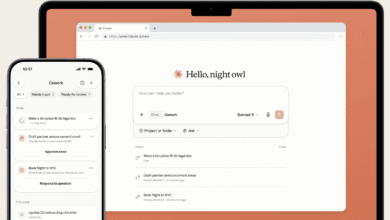
Experience macOS 27’s Best Feature Today

▼ Summary
– Apple announced that in macOS 27, users can create Shortcuts by typing a plain-language description, and the app will build it using generative AI.
– The AI-built shortcuts may not work perfectly but provide a starting point users can tweak to meet their needs.
– The feature will not launch until autumn with the release of version 27 of Apple’s operating systems.
– MacStories founder Federico Viticci built an alternative tool called Shortcuts Playground, which runs in Claude Code or OpenAI’s Codex.
– To use Shortcuts Playground, users install an agent via GitHub and can build shortcuts by typing a description after the “shortcuts-playground:build” command.
Buried within this year’s WWDC announcements was a revelation that made this Apple Shortcuts enthusiast’s ears perk up: generative AI is coming to Apple Shortcuts. With macOS 27, you will simply type what you want a shortcut to accomplish, and the app will build it for you.
Any regular shortcut builder knows the process can be painstaking, even if the final result saves you hours. That is why the prospect of describing your goal in plain language and receiving a working shortcut feels so promising. Even if the AI-generated result isn’t flawless,let’s be honest, AI rarely nails it on the first try,you get a solid starting point to refine and customize.
The one catch: this feature won’t arrive until autumn, when Apple’s operating systems hit version 27.
But what if you want to experiment right now? Federico Viticci, founder of the excellent blog MacStories, couldn’t wait either. So he built his own version called Shortcuts Playground. It runs in either Claude Code or OpenAI’s Codex. (OpenAI’s Codex is currently free; Claude Code requires at least a Pro plan, starting at $20 per month.)
To begin, you must install the Shortcuts Playground agent using instructions available on GitHub. The process involves copying and pasting a command into the Terminal. (I will not include the command here, as it may change.)
I tested Shortcuts Playground in Claude Code, but the tool works identically in Codex. After installation, trigger it by typing `/` followed by `shortcuts`. A list of options appears.
If you are starting fresh, choose the shortcuts-playground:build option and follow it with a rough description of what you want the shortcut to do. The alternative, shortcuts-playground:remix, is for editing existing shortcuts.
The agent then begins constructing your shortcut. Sometimes it pauses to ask for more details or to clarify what is and is not possible within Apple Shortcuts.
During my testing, I requested a shortcut that compiled today’s weather, my calendar appointments, and my to-do list, then read everything aloud. The agent happily got to work.
(Source: Wired)