Google AI Update Opens Links Without Leaving Page
▼ Summary
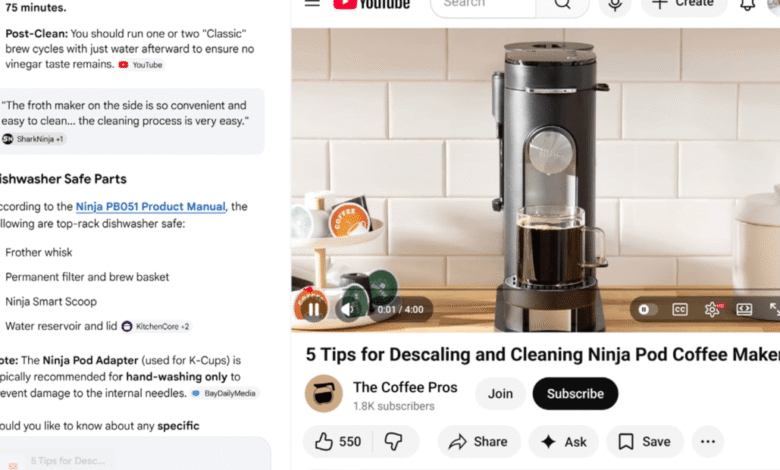
– Google is adding a feature to Chrome’s AI Mode that opens linked sources side-by-side with the chat interface for follow-up questions.
– Users can now select specific open browser tabs as sources for AI Mode to reference when answering questions.
– This tab selection is done via a “plus” button in AI Mode or Google’s search box, which displays recent tabs.
– The feature also supports adding images or files to searches conducted through AI Mode.
– These updates are currently available to users in the United States, with a planned global release coming later.
A significant upgrade to Google’s AI Mode in Chrome is now rolling out, fundamentally changing how users interact with web content during a conversation. The latest feature enables the browser to open source links directly alongside the chat interface, eliminating the disruptive need to switch to a new tab. When you click a cited source, the webpage loads in a split-view panel, allowing for immediate, contextual follow-up questions about the information displayed. This seamless integration aims to create a more fluid and efficient research experience directly within the browser.
Beyond this, Google has enhanced the tool’s ability to draw from your existing browsing session. Users on both desktop and mobile can now instruct AI Mode to reference specific open tabs. By selecting the plus button within the AI chat or the Google search box, you are presented with a list of recent tabs. Choosing from this list allows the AI to formulate answers based directly on the content you already have open, creating a powerful, context-aware assistant. The functionality also extends to supporting image and file uploads for these tailored searches.
These substantial updates to AI Mode are currently available to users in the United States. Google has indicated that a broader global rollout is planned for the near future, signaling a continued push to deeply integrate generative AI into the core web browsing workflow.
(Source: The Verge)