Google Photos AI Lets You See Yourself in Any Outfit
▼ Summary
– A new Google Photos AI feature will catalog clothes from saved photos and organize them into a digital collection for styling and virtual try-ons.
– The wardrobe feature is rolling out this summer, first on Android and then on iOS.
– Users can filter their digital closet by category, such as “jewelry” or “tops,” and create shareable mood boards for occasions like “wedding guest.”
– The AI allows virtual try-ons of saved clothing items, but the fit is a rough approximation since it does not know sizes or cuts.
– Unlike last year’s Google Search try-on feature for shopping items, this wardrobe feature uses personal photos and will not use uploaded images for AI training or sell them to third parties.
Just last night, I found myself deep in a Pinterest spiral, hunting for the perfect dress for my best friend’s engagement party. After endless scrolling, I gave up and decided to wear something I already own. So I opened my Photos app and started flipping through old images, looking for formal outfits I’ve worn before for inspiration.
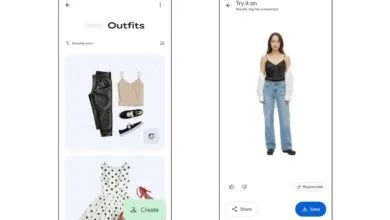
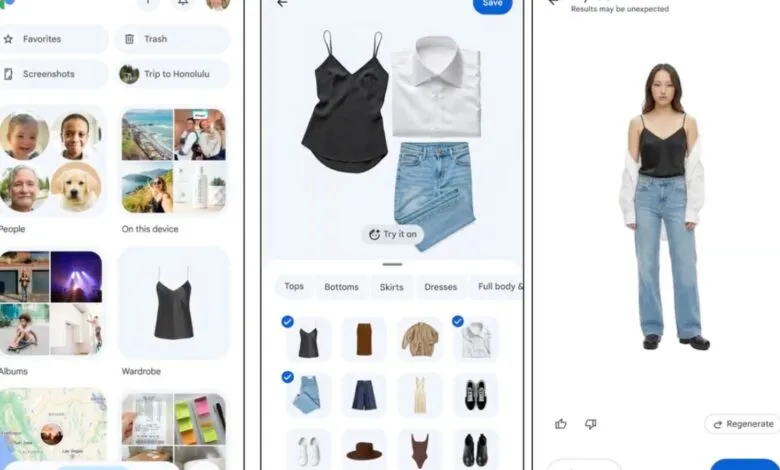
If that sounds familiar , and I do this at least once a week , a new Google Photos AI feature might be a game-changer. It scans the clothes in your saved photos and catalogs them into a digital wardrobe collection. From there, you can style, mix, match, and virtually try on outfits without ever stepping into a closet.
The wardrobe feature is rolling out this summer, first on Android, then on iOS.
How Google’s AI-Powered Wardrobe Works
The feature uses AI to analyze your camera roll and build a digital closet based on pieces you’ve worn in the past. You can filter by category , like “jewelry” or “tops” , to quickly find a specific item.
Google is also borrowing a page from Pinterest by letting you create digital mood boards. Instead of pulling out your entire closet and trying on a dozen outfits for friends’ opinions, you can mix and match items into outfit ideas and save them to shareable boards. These boards can be organized by occasion, such as “wedding guest” or “work outfits.”
The “Try it on” feature lets you preview how clothes will look on your body, saving time getting dressed. Just select an item from your collection, click the option, and see a rough approximation. Keep in mind, the AI doesn’t know sizes or fabric cuts, so the result is more of a visual suggestion than an exact fit.
Last year, Google released an AI-powered try-on feature in Search, but that was limited to clothes you were shopping for, not items you already own. That technology uses an image generation model like Nano Banana to guess how you might look in new clothes. Google has stated it won’t use your uploaded images for AI training, other Google services, or sell them to third parties.
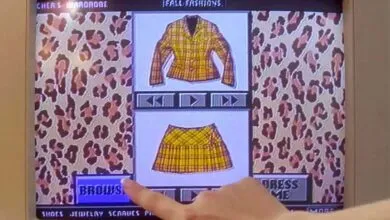
CNET’s Abrar Al-Heeti tested the Search try-on feature last year and found it could, for example, generate bare arms to show off a sleeveless dress. A similar function on the Samsung Galaxy S26 and Google’s Pixel phones, called “Find the Look,” adds this capability to Circle to Search. That means you can take a screenshot or photo and instantly see a preview of yourself wearing it.
(Source: CNET)