Dory Sign: E Ink Smart Screen Simplicity
▼ Summary
– Many “smart” gadgets, like TVs, fridges, and gym equipment, add unnecessary features that compromise usability, privacy, or durability.
– The Dory Sign demonstrates how technology can improve a product without overshadowing its core purpose of effective communication.
– Dory is a 5.2-inch E Ink sign controlled via a free app that does not require personal information to use.
– The app allows multiple users to edit the sign’s text, images, and background via Bluetooth, with real-time preview.
– The app includes preloaded images and backgrounds, plus customization options like typefaces, text size, and color sliders.
Many products branded as “smart” leave me questioning whether they would be better off simple. Take smart TVs that quietly log your viewing habits for advertisers, internet-connected fridges that display ads instead of keeping food cold, gym equipment rendered useless without an online connection, or toothbrushes whose batteries barely last a week. Then there are the countless gadgets that demand you download a clunky, forgettable app just to function.
All too often, cutting-edge features like artificial intelligence and device-to-device connectivity get crammed into products that would be far more intuitive, affordable, accessible, and durable without them.
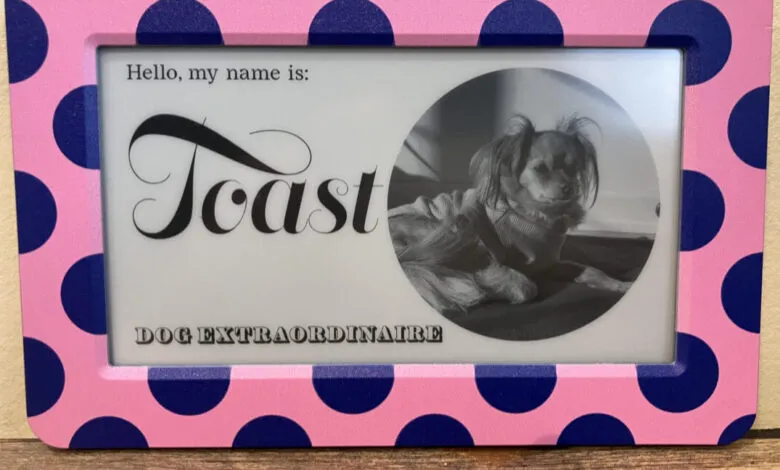
The Dory Sign stands as a refreshing counterexample. It shows how technology can enhance a simple object like a sign without overwhelming its core mission: clear, charming communication.
Dory Sign Specs
- Resolution: 1280×720This compact, cube-shaped sign uses an E Ink display, so it’s gentle on the eyes with no harsh backlighting. You control its content through a free companion app for iOS or Android, and refreshingly, the app doesn’t demand your email or name to get started. The interface is straightforward: clear sections for editing header, main, and footer text, plus options to add an image or choose a background. Multiple users can update the sign, and it connects via Bluetooth for seamless communication.The app comes loaded with plenty of pre-made images (animals, flowers, illustrations) and backgrounds (from brushstroke textures to marble patterns or full landscapes). You can also upload your own designs. Crafting a message doesn’t require hours of effort, but if you want to customize, the app offers six typefaces, plus sliders for text size, line height, letter spacing, and color darkness. Changes appear in a real-time preview, so you see exactly what you’re getting before it reaches the sign.