Kindle Owners Jailbreak Older Models After Amazon Ends Support
▼ Summary
– Amazon will end support for several older Kindle models on May 20, limiting them to reading already-downloaded content.
– Users are jailbreaking these Kindles to bypass software restrictions and install custom features like fonts, screensavers, and third-party apps.
– Jailbreaking may violate Amazon’s terms of service and could become illegal if it involves copyright infringement or selling modified devices.
– The process is technical, risky, and not compatible with all models; it requires disabling Wi-Fi, downloading files from trusted sources, and installing a jailbreak package.
– Drawbacks include potential app crashes, device failure, reduced battery life, and a safer alternative is sideloading books via USB without modifying the system.
Following the announcement that Amazon will discontinue technical support for several older Kindle models, a growing number of owners are turning to jailbreaking to keep their devices functional.
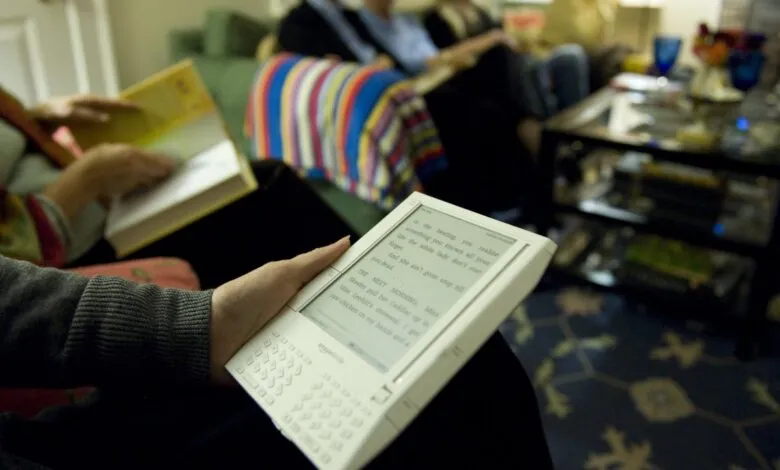
On May 20, support will end for the Kindle 1st and 2nd Generations, Kindle DX and DX Graphite, Kindle Keyboard, Kindle 4, Kindle 5, Kindle Touch, the first-generation Kindle Paperwhite, and several early Kindle Fire models, including the 1st and 2nd Generations, Fire HD 7, and Fire HD 8.9. After this date, users will only be able to read content already stored on their devices, which has spurred interest in jailbreaking.
Jailbreaking involves bypassing the software restrictions Amazon imposes on Kindles. This process enables users to install custom fonts, change screensavers, use alternative reading apps, and add third-party tools that expand functionality. However, it may violate Amazon’s terms of service. While personal jailbreaking is not typically a criminal offense in many jurisdictions, it can become illegal if it involves copyright infringement, distributing illegal software, or selling modified devices. This information is provided for educational purposes only; always follow the law and proceed cautiously.
Many Kindle owners view jailbreaking as a way to retain control over a device they own that still works, avoiding the need to purchase a new one. The process is technical and carries risks, including the potential to brick the device. Not every model or firmware version supports jailbreaking, so owners should first research compatibility.
For those with a compatible device, the process typically begins by disabling Wi-Fi or enabling airplane mode to prevent Amazon from pushing updates that close jailbreak loopholes. Next, users must download a jailbreak package from trusted sources like the MobileRead Forum, which is widely regarded as reliable. The package includes a hotfix to preserve the jailbreak. After downloading, connect the Kindle to a computer via USB and copy the .bin files to the main folder on the device. Then, type “;log mrpi” in the Kindle’s search bar or go to settings and select “Update Your Kindle” to begin installation. Finally, install the Kindle Unified Application Launcher (KUAL) to manage apps and customizations. Many also install KOReader, an open-source e-book reader that supports multiple file types, including EPUB, offers enhanced PDF handling, and includes a built-in file browser.
Drawbacks include potential issues from unofficial software, such as frequent app crashes or complete device failure. Jailbreaking and third-party apps may also reduce battery life. For those seeking a safer alternative, sideloading books via USB cable does not require modifying the system software. Other e-reader options include the Boox Palma, Vivlio e-reader, and the compact Xteink X3 that attaches to a phone.
(Source: TechCrunch)