Discord updates Markdown preview formatting

▼ Summary
– Discord has released an update that significantly improves Markdown preview rendering, fixing issues where files previously displayed as symbols.
– This enhancement supports users sharing AI project context and instructions, as large language models often rely on Markdown formatting.
– Google has similarly enhanced its platform by allowing direct editing of Markdown files within Google Docs without conversion.
– Discord introduced a new organizational feature enabling users to move servers and channels via right-click options in the sidebar.
– Nitro subscribers now benefit from increased file upload limits, allowing them to share files up to 1GB in size.
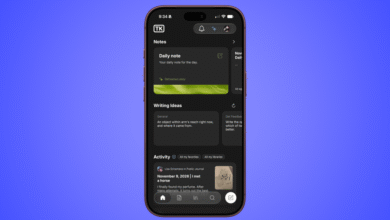
Discord has rolled out a significant update to its Markdown preview functionality, resolving long-standing issues where files displayed as garbled text. Previously, users attempting to view .md files encountered a string of unformatted symbols rather than readable content. The latest patch ensures these documents render with proper structure and styling, a change that holds particular relevance for communities discussing AI projects and development workflows. Since large language models and automated agents frequently utilize Markdown for instructions and contextual data, clearer previews facilitate more effective information sharing within the platform.
The company highlighted the visual improvement in an official statement regarding the release. “When you upload a Markdown (.md) file, you’ll now see the file rendered all nice and neat and pretty instead of with a bunch of symbols,” Discord explained. The update extends beyond simple text rendering to include complex elements such as tables and various formatting styles. “This includes tables, formatting, all that good stuff,” the company noted. “Totally great for when you’re doing a casual Sunday-night sharing READMEs with your friends.”
Enhanced Organization and File Limits
Beyond text rendering, the update introduces new organizational tools designed to streamline server management. Users can now rearrange servers and channels directly from the sidebar interface. By right-clicking on an icon, individuals gain access to a “Move to…” feature, allowing for quicker customization of their workspace layout without navigating through multiple menus.
For subscribers of Discord Nitro, the update also raises the ceiling on file uploads. Members are now permitted to transfer files up to 1GB in size, doubling previous limits and supporting larger asset exchanges. This adjustment complements broader industry trends toward native Markdown support, evidenced by Google’s recent integration of direct editing capabilities for Markdown files within Google Docs. These simultaneous improvements across major platforms reflect a growing demand for seamless documentation handling in digital communication tools.
(Source: The Verge)