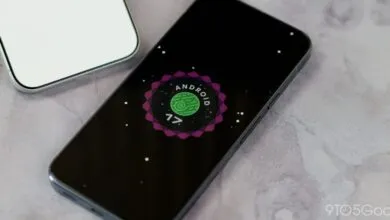
Google’s April Android Canary Build Adds Pixel Experiments
▼ Summary
– Google has released a new Android Canary build (2604) for developers, available now for Pixel 8 series and above.
– Images for older Pixel models like the Pixel 7 series and Pixel 6 series will be released later.
– This experimental build is unstable and Google advises against installing it on a primary device.
– User-facing changes include a new “You’re all caught up” notification message and more compact app shortcut menus.
– Installing a Canary build makes it difficult to roll back to a stable version without a full data wipe.
Google has rolled out its latest Android Canary build, providing developers with a preview of upcoming features currently in development. This early access release, identified as Android Canary 2604, is now accessible for download on newer Pixel models, including the Pixel 8 series. The update arrived slightly earlier than the previous cycle, following the March 19 release of the 2603 build. For users of older devices, Google has indicated that images for the Pixel 7a, Pixel 7 Pro, Pixel 7, Pixel 6a, Pixel 6 Pro, Pixel 6, Pixel Fold, and Pixel Tablet will follow in a subsequent release.
The Canary channel represents Google’s most experimental testing track, where features are actively being developed and refined. Due to the inherent instability of these builds, the company strongly cautions against installing them on a primary or daily-use device. The software is intended for development and testing purposes only, as it may contain bugs or cause unexpected performance issues.
Several user interface refinements are present in this release, as noted by industry observers. Some of these tweaks were initially spotted in the prior Canary build but are now more widely available. When a user clears all notifications, the interface now displays a “You’re all caught up” message instead of the previous “No notifications” text. Furthermore, the long-press menu for app icons has been redesigned for a cleaner look. App shortcuts are now initially hidden behind a new “Shortcuts” toggle, requiring a tap to expand. Similarly, after expanding shortcuts, the contextual actions menu is collapsed by default and can be revealed via a separate “Actions” toggle.
A critical consideration for testers is the upgrade path. Once a Canary build is installed on a device, reverting to a stable public version is not a simple process. To stop receiving over-the-air updates from the Canary channel, a user must perform a manual flash of a non-Canary Android build. This procedure necessitates a full factory reset, which will erase all data on the device. This significant requirement underscores why these builds are only recommended for secondary hardware dedicated to testing.
(Source: Android Authority)