Samsung One UI 8.5: All the New Features

▼ Summary
– One UI 8.5 has debuted in beta with a full rollout expected in 2026, introducing a fully customizable Quick Panel for toggles and sliders.
– The update features a new design language with 3D effects on icons and UI elements, drawing some inspiration from Apple’s Liquid Glass aesthetic.
– A key new feature is Storage Share in the My Files app, allowing access to files on nearby Samsung devices after accepting a prompt.
– The update adds functional enhancements like weather backgrounds for alarms, voice broadcasts via Auracast, and a pollen index in the Weather widget.
– It includes numerous other improvements across connectivity, security, battery, accessibility, and apps like Samsung Health and Calculator.
Samsung’s latest software evolution, One UI 8.5, has entered its beta testing phase, offering a glimpse into the future of the Galaxy experience. While the official, stable release is not expected until 2026, the beta reveals a substantial update focused on deeper customization, refined design, and smarter connectivity. This preview outlines the key enhancements users can anticipate.
A major highlight is the fully customizable Quick Panel. Building on the split-panel design introduced earlier, this update grants unprecedented control. Users can now adjust the layout of every toggle and slider, reorganizing their quick settings to match their personal workflow, complete with a refreshed interface for adding new controls.
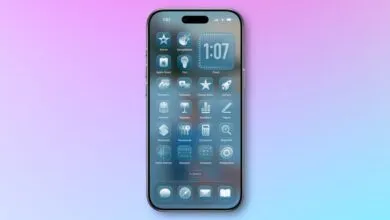
Visually, Samsung is refining its design language. App icons for first-party Samsung apps gain a subtle 3D effect, and similar design touches appear within the apps themselves. The interface shows influences from modern design trends, incorporating prominent floating buttons and taskbars with rounded edges. While the transparency effects remain distinct, the overall aesthetic feels more cohesive and modern compared to One UI 8.0.
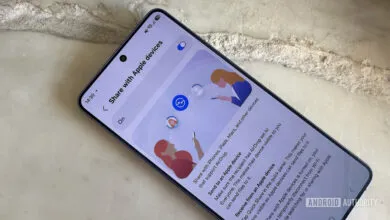
File management becomes more seamless with a new “Storage Share” feature within the My Files app. This allows your phone to access the storage of other nearby Samsung devices, such as tablets or PCs. The target device does not need to be running One UI 8.5, but it will require permission via a prompt before sharing begins.
Productivity and daily routines see thoughtful upgrades. The Clock app now supports weather backgrounds for alarms, providing an immediate glance at the day’s conditions as you wake up. Building on existing Auracast support, the update now enables voice-based “audio broadcasts” directly from the Quick Panel, allowing you to share your voice to nearby compatible listening devices.
The comprehensive changelog details numerous other improvements. Galaxy AI features like continuous image generation in Photo Assist let users iterate on AI creations without saving each step. Connectivity is enhanced with faster Smart View shortcuts and more refined Auracast menus. Quick Share gains smarter photo-suggestions based on recognized faces and options to limit sharing requests.
Personalization extends to the Lock screen, which now automatically adjusts layouts to prevent clocks and widgets from covering key parts of personal photos, and offers more customizable clock fonts. The Weather widget adds precipitation graphs and a new pollen index tracker for allergy management.
Samsung Health receives expanded weekly reports that include medication and mindfulness data, alongside new tools to create mixed-media workout shares. Galaxy Watch users can start meditations directly from their wrist and, on newer models, measure antioxidant levels independently from the phone.
Security is bolstered with enhanced Theft Protection that locks the device after too many failed authentication attempts and protects more settings. A new option allows Auto Blocker to be temporarily disabled with an automatic 30-minute re-enable timer.
The Battery settings screen is redesigned for clarity, and Power Saving modes are improved. Accessibility sees significant updates, including easier control for Bluetooth hearing aids, new magnification controls for mouse and keyboard, and customizable Dwell and Corner actions for pointer devices.
A host of smaller refinements round out the update: early alerts for reminders, partial screen recording, clipboard nudges in the Calculator app, and persistent window sizing in Samsung DeX. Together, these changes point to a more polished, intelligent, and user-centric interface for Galaxy devices.
(Source: 9to5 Google)