Google Chrome Now Autofills Your Google Account Details
▼ Summary
– Google is rolling out updates to Chrome’s autofill feature on mobile and desktop, improving access to data and selection accuracy.
– Autofill can now access personal details like name, email, and addresses from a user’s Google Account when signed into Chrome.
– On Android, autofill suggestions will expand to two lines to provide more context and make differentiating between options easier.
– The update improves handling of international addresses, like Mexican cross-streets, and will later add support for Japanese phonetic names.
– Chrome can now autofill travel booking details from Google Wallet and had recently added autofill for documents like passports and driver’s licenses.
Google Chrome is introducing a series of upgrades to its autofill feature, making it more intelligent and context-aware across desktop and mobile platforms. These improvements are designed to streamline the process of filling out online forms by pulling a wider range of personal data directly from your Google Account and other services. The goal is to reduce friction during common online tasks, from shopping to travel bookings, by presenting more relevant information exactly when you need it.
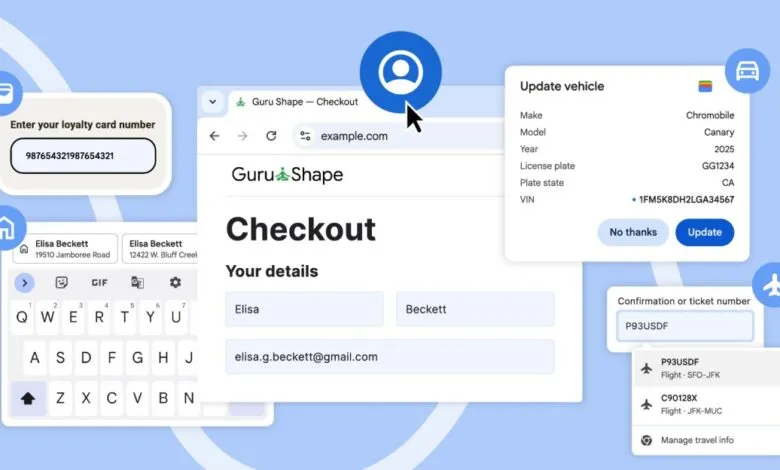
A key change is that autofill can now access your name, email address, and saved work and home addresses directly from your Google Account. This integration works seamlessly as long as you are signed into Chrome on your desktop, iOS, or Android device. This move centralizes personal data management, allowing for quicker and more accurate form completion without needing to manually store this information separately within the browser.
On Android devices, the visual presentation of autofill suggestions is getting a significant overhaul. Previously condensed into a single line, suggestions will now expand to display two lines of contextual information. This is particularly useful for differentiating between contacts or addresses with similar details. For instance, if you have two contacts named “John Smith,” the autofill prompt can show their respective addresses, providing the necessary context to select the correct one quickly.
The update also brings refinements for handling international address formats. Chrome’s autofill logic has been improved to better parse and complete forms requiring complex addresses, such as those in Mexico that often reference two cross-streets. Support for phonetic names in Japan is slated for a future release, further broadening the feature’s global utility.
Building on last month’s expansion of “enhanced autofill” for desktop, which added support for documents like passport numbers and driver’s licenses, Chrome is now integrating with Google Wallet for travel. Both desktop and Android versions will be able to access upcoming travel bookings and flight details saved in Wallet. This means that when you’re online arranging a rental car or filling out a hotel form, Chrome can automatically populate fields with specific trip information, such as your flight arrival time and date.
These cumulative enhancements position Chrome’s autofill as a more proactive assistant, reducing manual data entry by intelligently surfacing information from across Google’s ecosystem right at the point of need.
(Source: The Verge)