Audacity 4: The Complete Revamp of the Popular Audio Editor
▼ Summary
– Audacity 4 has been released as a major update to the popular audio editing software, addressing previous usability issues.
– The update introduces a non-destructive editing workflow, allowing users to trim and recover audio clips without permanent changes.
– New features include clip overlapping, splitting capabilities, and refreshed clip envelopes for better timeline management.
– The application received a visual overhaul with customizable themes to align with other Muse products like Muse Score.
– This significant refresh transforms Audacity from a clunky legacy tool into a modern digital audio workstation experience.
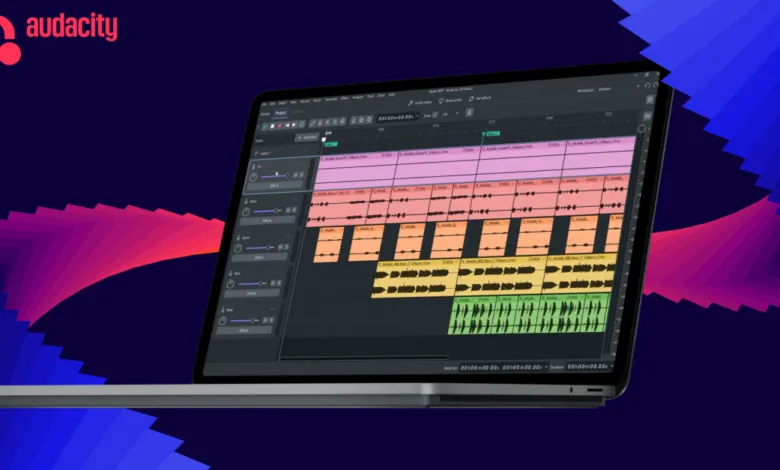
The latest iteration of Audacity 4 marks a significant turning point for the long-standing audio editing software. After months of development and navigating some public scrutiny over early design concepts, the final release delivers on its promise to transform the application from a basic, somewhat rigid utility into a robust, modern platform. The new icon, which faced criticism in earlier previews, has been refined to better reflect the polished nature of the updated interface.
Central to this overhaul is the implementation of a non-destructive editing workflow. This fundamental shift allows users to manipulate audio clips without permanently altering the original source files. For instance, if you trim a segment and later decide to restore the missing portion, you can simply drag the clip edge back outward to reveal the hidden audio. This flexibility extends to how clips interact with one another; they can now overlap freely on the timeline. Users can paste audio into tight spaces or rearrange tracks by dragging them around, eliminating the previous limitation where moving a clip past another would cause it to stop abruptly. Previously, such actions required manual cutting and pasting, a process that Audacity 4 streamlines significantly.
Further enhancing usability, the software now supports splitting clips for easier chopping and rearranging. The developers have also refreshed clip envelopes and the built-in effects library, providing more granular control over sound processing. A new home screen improves project organization, while a complete visual redesign aligns Audacity with other Muse products like MuseScore and Audio.com. This aesthetic update includes support for customizable themes, allowing users to tailor the look and feel of their workspace.
Since its debut in 2000, Audacity has remained a staple for many creators, yet its interface grew increasingly cluttered as features were added over the years. The transition to Audacity 4 addresses this historical rigidity, bringing the application much closer to the functionality and fluidity of a modern digital audio workstation (DAW). By combining powerful new capabilities with a cleaner, more intuitive design, the update ensures that Audacity remains competitive in an evolving landscape of creative tools.
(Source: The Verge)