Flipper Busy Bar Review: Pricey Focus Tool Tested

▼ Summary
– The Busy Bar features physical switches for settings and timer increments, with a large Start/Pause button that is tactile and satisfying to use.
– Its main selling point is physicality, offering an alternative to software-based focus modes by syncing via Bluetooth and integrating with smart home devices.
– Setting up the Busy Bar’s capabilities, like linking with Matter-certified devices or turning off notifications, requires additional apps and hardware.
– The device was inspired by Flipper CEO Pavel Zhovner’s need to signal busyness, targeting office workers who want to prevent interruptions.
– The Busy Bar may not fully solve the problem of signaling focus, as wearing over-the-ear headphones is presented as a simpler alternative.
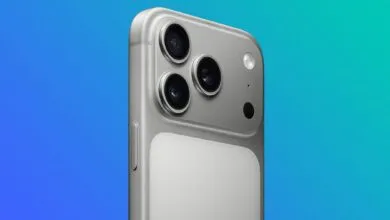
The Flipper Busy Bar is an intriguing but niche productivity tool, and its appeal hinges entirely on its physical design. Using it is refreshingly simple: tactile switches on top allow you to cycle through settings and adjust timer intervals, while a large, satisfyingly clicky switch serves as the Start/Pause button. In fact, the buttons are so enjoyable that I often find myself hitting pause just for the satisfying physical feedback of slapping that big switch again.
That physicality is the core selling point. While your phone or computer already offers built-in focus modes, the Busy Bar argues that software limitations alone aren’t enough to break the habit of reaching for your device. Similar to how the Brick uses an NFC tag to block distracting apps, the Busy Bar offers a more tangible barrier to distraction. It syncs to your phone via Bluetooth and is Matter-certified, allowing it to integrate with smart home devices to dim lights, play music, or even close your blinds.
Setting up these integrations requires some effort, though. You’ll need a compatible smart home hub like a Google Nest or a system running Home Assistant. To block notifications on your phone or computer, you must download the Flipper app and link the device. Once configured, the bar can trigger automations. I skipped the full smart home setup but created a simple automation that activates the Busy mode whenever my computer microphone is live, signaling to anyone nearby that I’m on a call.
The concept originated from Flipper CEO Pavel Zhovner, who wanted a clear, physical signal to prevent interruptions before colleagues barged into his office. That suggests the target audience is primarily executives or managers who need a visible “do not disturb” sign. While you can mount the bar on a wall outside your office, its effectiveness varies by workspace. Ultimately, for most people, a simple pair of over-the-ear headphones may solve the same problem more elegantly and affordably.
(Source: Wired)