Cricut Joy 2 on sale: Beginner-friendly sticker maker
▼ Summary
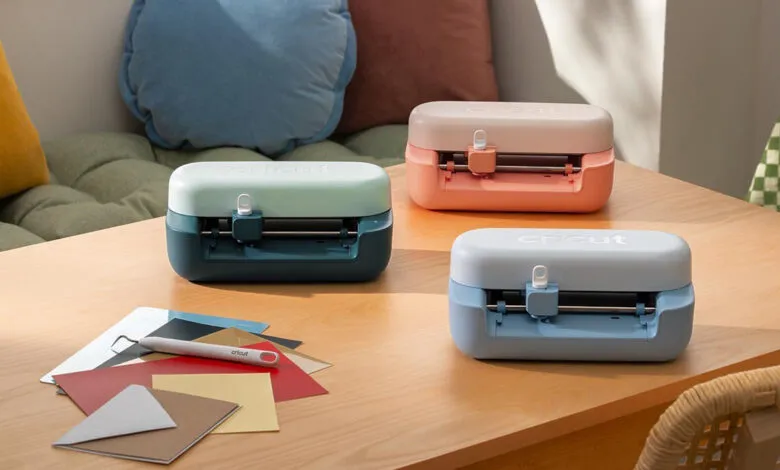
– The Cricut Joy 2 is a beginner-friendly, entry-level cutting machine priced at $99, with discounted bundles offering better value.
– It features Print Then Cut, allowing users to print full-color designs on a home printer for the machine to precisely cut, enabling sticker creation.
– The machine can also create cards, vinyl decals, labels, bookmarks, and iron-ons for both creative and practical projects.
– Setup is straightforward, but its Design Space app has a learning curve; a free 30-day Cricut Access subscription helps by providing more templates and fonts.
– The Essentials Bundle ($119) includes supplies for 35 projects, while the Ultimate Bundle ($169) adds extra tools like an iron press for over 75 projects.
If you’ve ever dreamed of turning your designs into real, physical stickers for an Etsy shop or just for fun, the Cricut Joy 2 is an excellent place to start. I’ve spent the last couple of weeks testing one, and as a complete beginner to the Cricut world, I can confidently say it’s one of the most accessible entry points available. Not only is it more affordable than most other Cricut models, but it’s also currently on sale. The standalone machine is $99, but the real savings come with the bundles. The Essentials Bundle, which includes supplies for 35 projects, is $119 ($20 off) at both Amazon and Cricut. For a more comprehensive kit, the Ultimate Bundle drops to $169 ($50 off) at Amazon and Cricut, adding extra tools like an iron press and enough materials for over 75 projects right out of the box.
The Cricut Joy 2 is built for smaller, everyday tasks, and it brings the company’s Print Then Cut feature to its most budget-friendly lineup. This lets you print full-color designs from your home printer and then have the machine precisely cut around them, making sticker sheets a breeze. In my testing, that was the most satisfying activity. Once you get the hang of it, the process is quick and straightforward. One important note: while you can use a laser printer, you’ll need to buy your own compatible sticker paper, since Cricut’s official materials are designed for inkjet printers. Beyond stickers, the machine handles custom cards, simple vinyl decals, labels, bookmarks, and iron-ons. I found it useful for both creative projects and practical tasks like planner templates and drawer labels.
Setup is fairly simple, though Design Space, Cricut’s design app, has a learning curve. I struggled at first, but after a few days of tutorials and using pre-made templates, things started to click. Projects came together much faster. A big help was the free 30-day trial of the Cricut Access subscription, which unlocks a much larger library of templates, images, and fonts than the free options. Just be aware that the trial auto-renews after 30 days at $9.99 per month unless you cancel.
(Source: The Verge)