Stop Fighting Spotty Hotel Wi-Fi With Netflix USB Hack
▼ Summary
– A USB-C-to-Ethernet adapter and LAN cable allow Android phones to connect directly to a hotel’s Ethernet port, bypassing Wi-Fi entirely.
– The wired connection provides stable speeds and lower latency compared to crowded hotel Wi-Fi networks.
– Once connected via Ethernet, users can share that internet connection as a mobile hotspot for other devices like laptops or tablets.
– This setup helps avoid hotel Wi-Fi login pages and device limits, as the network only sees the phone.
– The feature works on most modern Android phones without additional apps or drivers, requiring only a plug-and-play adapter.
As someone who constantly juggles multiple phones and attends countless events, I’ve grown all too familiar with the frustrations of public and hotel Wi-Fi. Even with a reliable eSIM for international travel, data caps eventually force me back onto those shaky networks.
I follow every security precaution for public Wi-Fi, yet performance remains dismal. Most hotel networks are ancient, overwhelmed by too many devices, leaving my phone crawling at snail-like speeds.
But on a recent trip, I uncovered a clever workaround that lets me tap into my hotel’s internet on my Android phone without ever joining the Wi-Fi network. This simple trick is a lifesaver for travelers battling limited data.
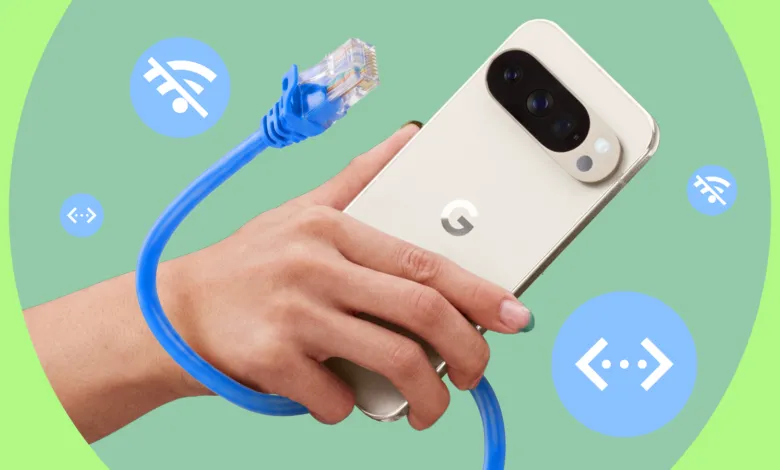
Your Android phone can connect directly to Ethernet, bypassing slow, unreliable Wi-Fi entirely. This lesser-known feature means you don’t always need a mobile data plan or a wireless network to get online. All you require is a USB-C-to-Ethernet adapter and a standard LAN cable.
Most modern Android phones support USB OTG out of the box, recognizing accessories like storage drives, keyboards, and Ethernet adapters without extra apps or drivers. Setup couldn’t be easier: plug the LAN cable into your hotel’s Ethernet port, connect it to the adapter, and plug the adapter into your phone. Within seconds, your phone detects the wired connection and switches automatically. No setup screen, no login page, no annoying captive portal.
I tested this on my Google Pixel 9 running Android 17 beta, and it worked flawlessly. It takes a few seconds to kick in, but once connected, a new icon appears in the status bar indicating a wired link. In Settings, a banner confirms you’re using Ethernet. To switch back to Wi-Fi or cellular, simply disconnect the cable.
The biggest advantage is stability. By sidestepping crowded hotel Wi-Fi, speeds become more consistent, latency drops, and connections don’t randomly cut out when too many users hop on. Streaming, uploads, and downloads feel noticeably faster. It essentially transforms your phone into a wired device, something we rarely think about nowadays.
You can share that Ethernet connection as a hotspot, turning your phone into a mini router for all your other devices. When connected via Ethernet, enable the mobile hotspot to share that wired internet over Wi-Fi with your laptop, tablet, or Kindle. Instead of logging into the hotel’s Wi-Fi on each device individually, they all connect to your phone automatically. This also bypasses those frustrating device limits hotels impose, which often cap connections at two or three per room. The network sees only one device, your phone, while everything else runs through it. I’ve used this setup to get better speeds on my laptop and enjoy a far more consistent experience.
This Ethernet trick works across all Android phones. It has significantly improved streaming and general connectivity during my travels. Now, I always carry the necessary adapter, especially for events where reliable internet is essential. Just be aware that some hotels may have data limits on their networks. In those cases, you can adjust your phone’s settings to control usage, ensuring you don’t burn through your allowance unnecessarily.
(Source: Android Police)