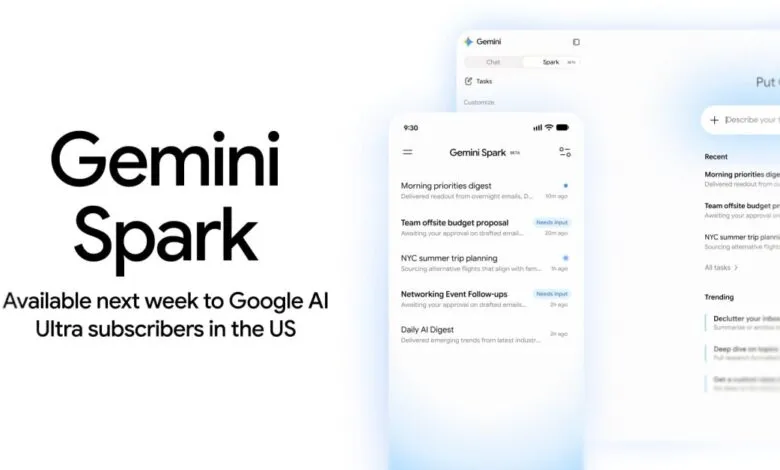
Gemini Spark launches on Google AI Ultra in the US
▼ Summary
– Gemini Spark is now available in the US for Google AI Ultra subscribers as a 24/7 personal agent that automates tasks, appearing as a new “Spark” tab on web and in the mobile app.
– It can access Google Workspace, Personal Intelligence, and perform actions like remote browsing to interact with websites and remote computer code execution.
– With Google Workspace, Spark manages Calendar, Drive, Docs, Sheets, Slides, and Gmail for tasks like scheduling, file organization, email search, and drafting replies.
– Spark has three core components: a Task (goal), a Schedule (when to run automatically), and a Skill (reusable instructions and context for how to do the task).
– Usage limits allow up to 15 tasks running simultaneously, with compute-based limits similar to the rest of Gemini, and users can monitor progress via a task thread and work panel.
Google’s latest AI-powered productivity tool, Gemini Spark, is now live in the United States for subscribers of Google AI Ultra. As teased last week, this always-on personal agent is designed to streamline and automate a wide range of daily tasks, from scheduling to document management.
On the web, users will find a new “Spark” tab alongside the existing “Chat” option in the side panel. For mobile users on Android and iOS, Spark appears between Search chats and Daily brief, with a clear “Beta” label indicating its early-stage rollout.
Gemini Spark integrates with Google Workspace and other connected apps, drawing on Personal Intelligence, signed-in websites, location data, and more. It can also operate a remote browser to navigate sites and interact with pages, such as adding items to a shopping cart, and a remote computer with code execution capabilities.
Within Google Workspace, the tool offers deep functionality:
- Calendar: Manage your schedule by checking events, RSVPing, and creating new ones. It can reschedule meetings, change locations, or cancel events, and even suggest open slots that work for everyone’s availability.Gemini Spark is built around three core components. A Task is the high-level goal or project you want accomplished. A Schedule determines when Spark runs automatically in the background, either at a specific time or in response to an event. For example: “Every day at 8 AM, give me an update on AI news.” These differ from standard scheduled actions in the Gemini Chat experience. Finally, a Skill is a reusable set of instructions and context, accessed using @ or /. Skills teach Spark how to perform specific actions and which tools to use, and it can apply them automatically when relevant.A practical example: You define a task to plan and manage a business trip to London. You set a schedule to trigger when your flight is delayed, prompting Spark to notify you and propose an itinerary update. The system then uses a “Travel Booking” skill and a “Gmail Writing” skill simultaneously to rebook a room and send a confirmation.Additional use cases include decluttering your inbox by summarizing or archiving newsletters, getting a custom news digest that tracks stories over time, and deep-diving into topics with research formatted to your goal and cited sources.Users can input tasks via the “Describe your task” field, which supports file uploads and a notebook. A dedicated task thread and work panel let you monitor progress, including planned, current, and completed steps. You can also take over the remote browser as needed.Gemini Spark follows the same compute-based usage limits as the rest of Gemini. You can run up to 15 tasks simultaneously, but you must wait for tasks to complete before making new requests. A schedule will not activate if there are already 15 tasks in progress.