Edit iPhone Photos Just by Describing Changes with Google Photos
▼ Summary
– Google Photos is adding iOS support for conversational edits, allowing iPhone users to describe photo changes using voice or text.
– The update includes a redesigned editor interface for iPhones, featuring simple gestures and one-tap suggestions for adjustments.
– Personalized editing capabilities now use face references from private groups to accurately modify facial features like removing glasses or adding smiles.
– New AI tools integrate the Nano Banana model, enabling image transformations into styles such as paintings, mosaics, and illustrations.
– Additional features include a chatbot-style “Ask” button for editing and queries, AI templates for instant edits, and expanded “Ask Photos” availability to over 100 regions and 17 languages.
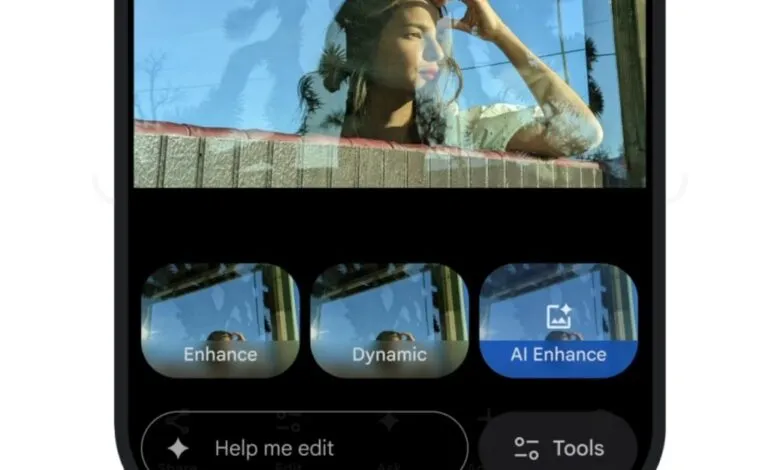
A significant update is arriving for iPhone users who rely on Google Photos for managing their image library. The powerful “Help me edit” feature, which allows you to modify pictures using simple voice or text commands, is now being introduced to iOS in the United States. This functionality, previously exclusive to Pixel and Android devices, enables you to describe the changes you want, like “make the sky more dramatic” or “brighten the subject”, and watch as the app’s artificial intelligence applies those edits automatically. Alongside this, a redesigned editor interface is also coming to iPhones, streamlining the editing process with intuitive gestures and one-tap enhancement suggestions.
Google’s announcement highlights the ease of simply describing your desired edits and seeing Google Photos bring your creative vision to life. The update goes beyond basic adjustments, introducing more sophisticated, personalized editing tools. A key improvement involves facial editing, where the AI can now reference your private library of face groups to ensure that any modifications to you or your friends, such as opening blinked eyes, adding a smile, or even removing glasses, look remarkably natural and accurate. This approach uses your own photos to maintain authenticity, making digital touch-ups more believable than ever.
The integration of Google’s advanced Nano Banana AI model further expands creative possibilities. This technology provides users with a suite of artistic filters to radically transform their images into new visual styles, including painterly effects, intricate mosaics, and stylized illustrations. It’s a move that empowers everyday photographers to experiment with advanced aesthetic treatments without needing professional editing skills.
Additional enhancements are rolling out across platforms. Both Android and iOS users are gaining access to a new “Ask” button, which activates a conversational chatbot interface. This tool can not only perform edits based on your requests but also answer questions about the content within your photos. For Android users specifically, a collection of ready-made AI templates is being introduced. These templates allow for instant photo transformations using popular, pre-defined prompts, such as “put me in a high fashion photoshoot,” applying complex edits with a single tap.
Furthermore, the “Ask Photos” search tool, designed to help you locate specific images using natural language queries, is seeing a substantial global expansion. Its availability is being extended to over 100 new regions and will support an additional 17 languages, making it easier for a vastly larger international audience to find their cherished memories quickly and effortlessly.
(Source: The Verge)