Windows 11 KB5062660 Update Adds New Resilience Features

▼ Summary
– Microsoft released the KB5062660 preview update for Windows 11 24H2, introducing 29 new features, including the Black Screen of Death and Quick Machine Recovery tool.
– The update is optional and part of Microsoft’s non-security preview schedule, allowing users to test new features before the next Patch Tuesday.
– Key features include Windows Resiliency Initiative improvements, such as automated issue detection and recovery, and enhanced settings navigation with a new AI-powered agent.
– Users can install the update manually via Windows Update or the Microsoft Update Catalog, with prompts to confirm installation unless automatic updates are enabled.
– The update also includes fixes for File Explorer, authentication issues, and input method editors, with no known issues reported by Microsoft.
Microsoft’s latest Windows 11 KB5062660 update introduces significant resilience features, including tools to combat system failures and streamline recovery processes. This optional preview release, part of the company’s monthly non-security testing cycle, brings twenty-nine enhancements, with several rolling out gradually to users.
Unlike mandatory Patch Tuesday updates, the KB5062660 preview doesn’t include security fixes. Instead, it focuses on refining functionality ahead of August’s official release. Users can manually install it via Windows Update or download it directly from the Microsoft Update Catalog. Once applied, systems running Windows 11 24H2 will upgrade to build 26100.4770.
A standout addition is the Windows Resiliency Initiative, aimed at improving system stability and recovery. Two key tools debut: the Black Screen of Death interface for clearer error messaging and Quick Machine Recovery, which automates troubleshooting for boot failures. Home users get this feature enabled by default, while IT admins can customize it via Intune.
Other notable changes include:
- Recall expansion: Now available in the European Economic Area (EEA), this feature lets users export snapshots with a one-time encryption code. A global reset option has also been added.
- Click to Do enhancements: New text actions like Practice in Reading Coach and Draft with Copilot in Word boost productivity, while Teams integration simplifies communication.
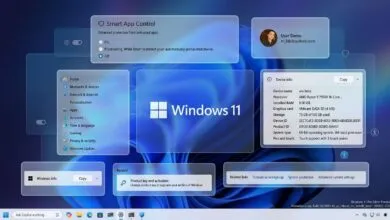
- Settings improvements: A new AI-powered agent helps locate system configurations, and a centralized search bar makes navigation smoother.
- Snap and Start menu refinements: Inline tips for window management and a one-time pin policy for enterprises enhance usability.
The update also resolves multiple bugs, such as File Explorer glitches, authentication hiccups, and input method editor (IME) failures affecting languages like Traditional Chinese and Hindi. Microsoft confirms no known issues remain, including a fix for misleading Windows Firewall Event 2042 errors.
For a full breakdown of changes, refer to Microsoft’s official support bulletin. With these upgrades, Windows 11 continues evolving toward greater reliability and user convenience.
(Source: Bleeping Computer)